Addmen Online Test Software (OLT) is a standard online exam software which can be used freely for any type of Online Test according to different online exam systems. It is not specific to any online examination system.
The online test taking software is different from computer based test software. Web based exam software creates an actual online computer test environment which the student will finally face in online test exam. On solving the online test in web based test software for online exam, comparative analysis or ranking of the student is determined by generating merit lists. However offline computer exam software on CD can be used only for offline practice, but does not provide any analysis or ranks.
You can add a link to your website homepage as "Online Test", and connect this easy Online Test Software to your website.
The link is directed to the server from where the software for online exam is running.
The Online Examination software appears as a part of your website.
Your Institute Name & Logo is displayed on the login screen and on the online exam software page.
Addmen is not visible (in website, Logo or name) anywhere on the Software for online exam.
6. If you want to directly register the students for Online Examination from your website, then add the "Online Exam Registration" Interface to your website.
( Click here for LIVE DEMO: Online Test Registration from online test websites )
Payment Gateway is available in software, can be activated if Administrator has subscribed to account.
Many Branches, Courses and Batches can be created.
Admin can create multiple sub users in online exam management system with limited permission.
The layout of the Online Test Taking Software screen might differ from specific online exam system but majorly all features are available.
Online Exam software has free download utility for the students who do not want to remain connected to the internet for entire 2-3 hours while solving the test. The candidate can download the online question paper using the online test software free download utility and solve the online test paper offline and then upload the solution for online result processing and online result reports.
Online Test Results can also be combined with offline OMR Test Results and compiled online test results can be seen on the website of your institute.
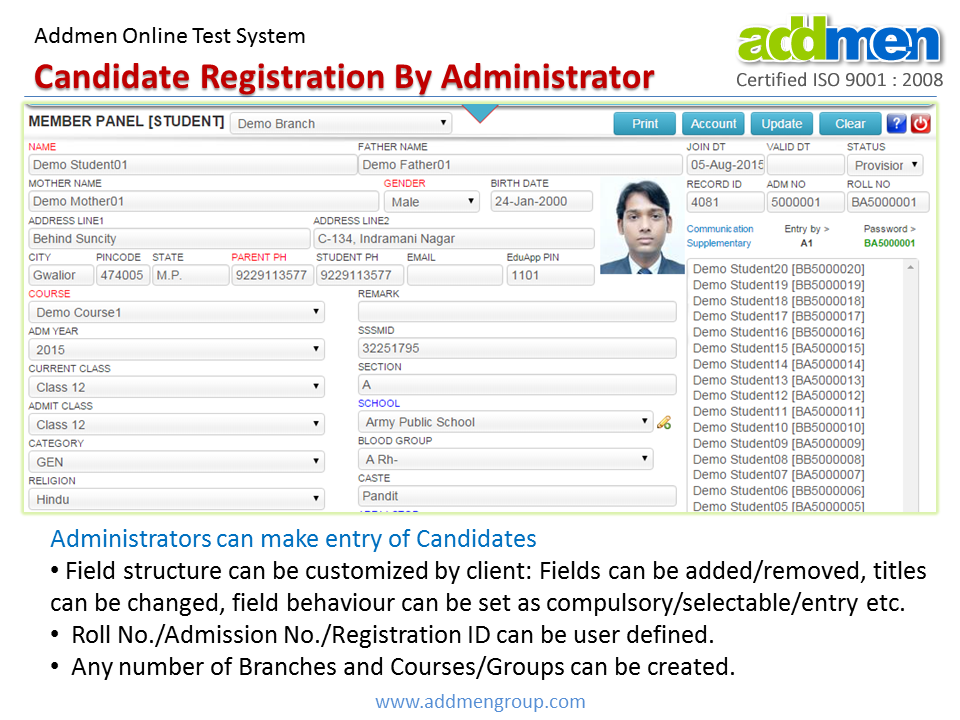
Existing Candidates can be registered by Admin (see Figure 3A).
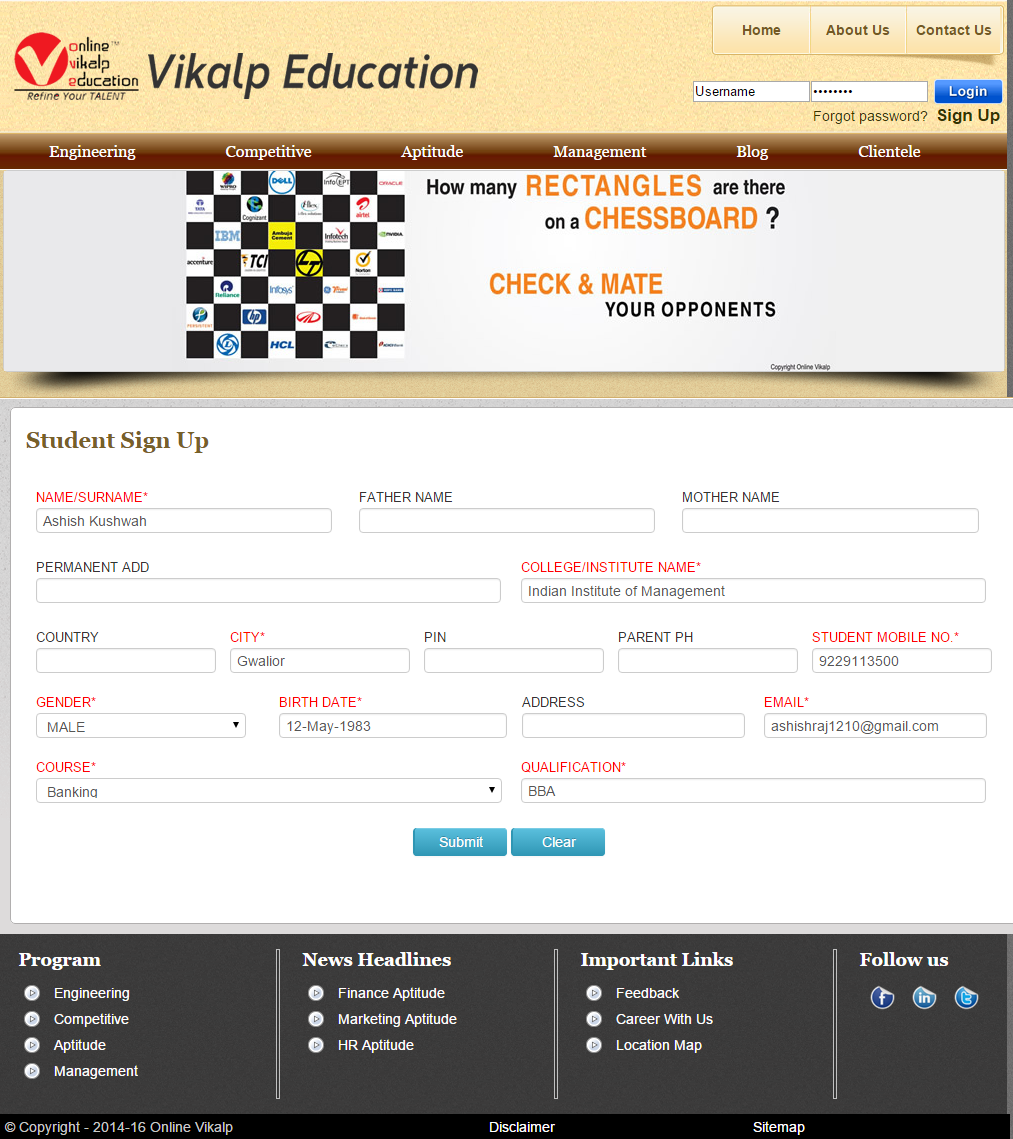
New candidates can be registered from website for free Online Test Software demo (see Figure 3B).
Username/Password can be sent by Email or SMS after registration. For this an existing email account can be configured but SMS credits to be purchased.
A test can be created for selected Branches/ Groups/ Classes/ Batches.
Any candidate will see tests that are applicable for his branch/group only.
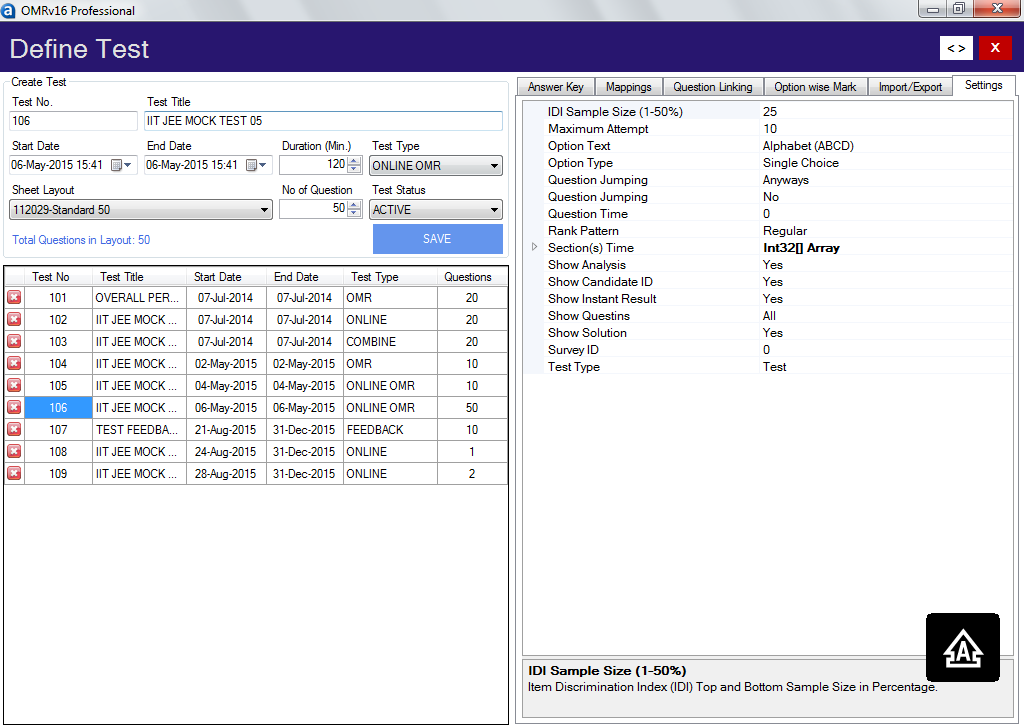
Test can be defined for any number of questions.
Test Instruction and Test Solution files can also be uploaded for in .html and .pdf formats.
Test can be defined for any duration in minutes.
Date and period of the test can be set by the user.Period of test is different from duration of test. For e.g. the test duration is 60 minutes, but activation period can be set as Sunday 3:00pm to 8:00pm.
The test will be active for students only during this period.
A candidate can login any time before expiry of period.
Timer is maintained to keep control over test duration and allow re-login in case of accidental logouts, candidate will get his remaining time after re-login.
| Single Choice | Numerical | Comprehension |
| Multiple Choice | Derivation | Diagram |
| Column Matching | Subjective | Fill in the blank |
| True/False | Theory | Assertion/Reason |
1. Make your own online tests.
The online test paper is made in a MS Word file in a specified format.
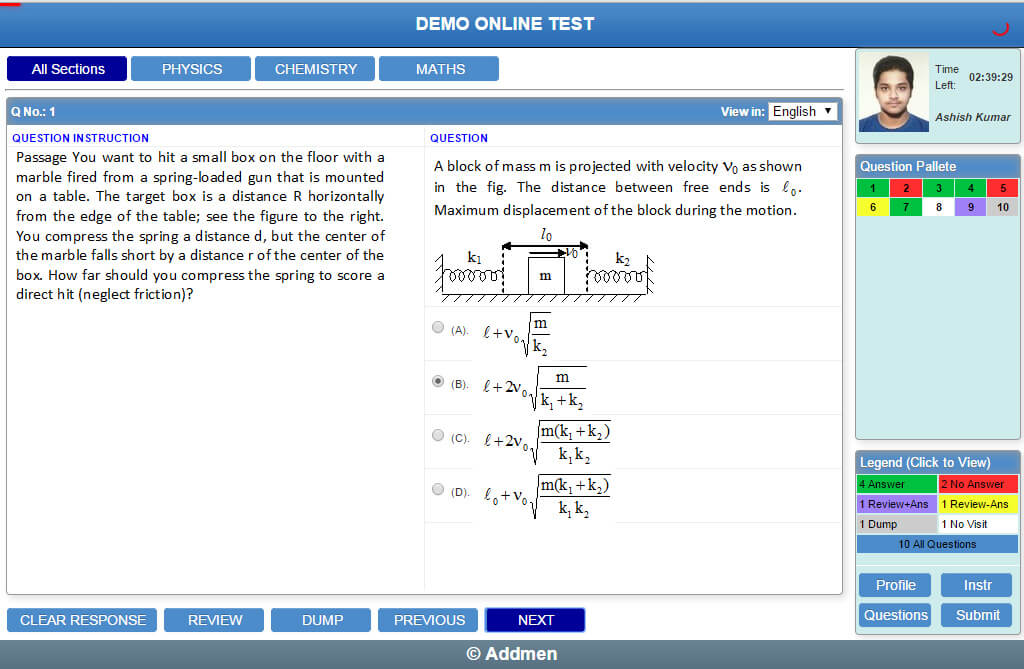
The online question paper can contain text, images, diagram, formulas and any font, it can support various structures of questions .
MCQ Question paper input word file can be made by manually by typing selected questions.
Alternatively, it can also be generated from a question bank using Question Paper Generator Software.
All online MCQ questions and their options are typed in one file. Upon uploading this file, the software will automatically split questions and options according to online test pattern.
Bilingual Online question papers can also be presented if required. The online exam system software does not translate languages. The second language text must also be input by the user in the specified format.
Subject wise / section wise grouping of questions can be done.
Topic tags can be created and applied to questions within a subject/section. For ex. Physics-Light where "Physics" is subject tag and "Light" is topic tag within Physics.
On the candidate online test screen, the questions can be listed as grouped by section.
It is possible to make all questions in the online exam compulsory.
It is possible to restrict the candidate from starting another section before completing current section.
The online test creation software automatically creates multiple sets ofthe uploaded online question paper so that each candidate gets a randomly shuffled question sequence to avoid cheating.
Options numbering can also be changed from A, B, C,D to 1,2,3,4 respectively.
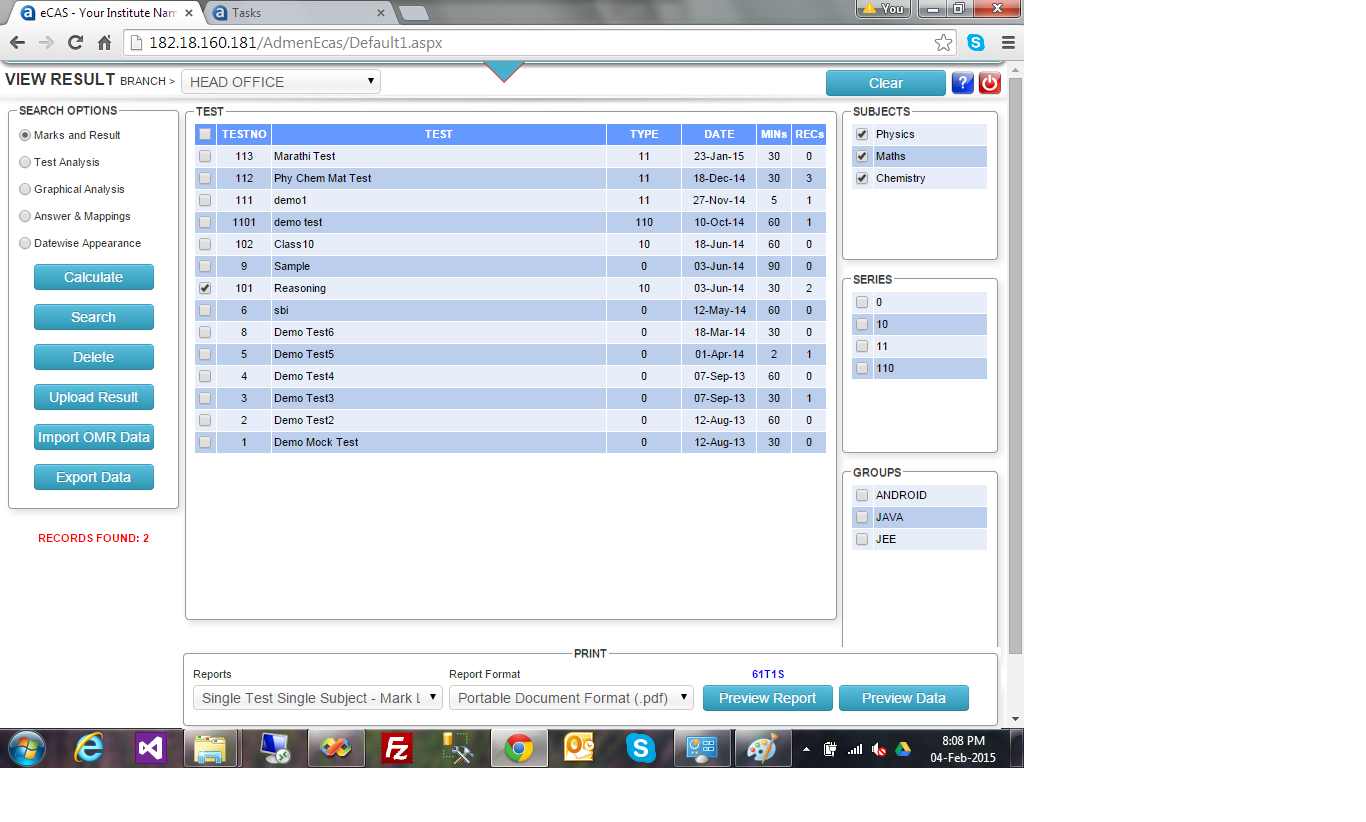
Multiple marking schemes can be created and appliedto any question.
The software shall support the marking pattern of any type of MCQ Tests.
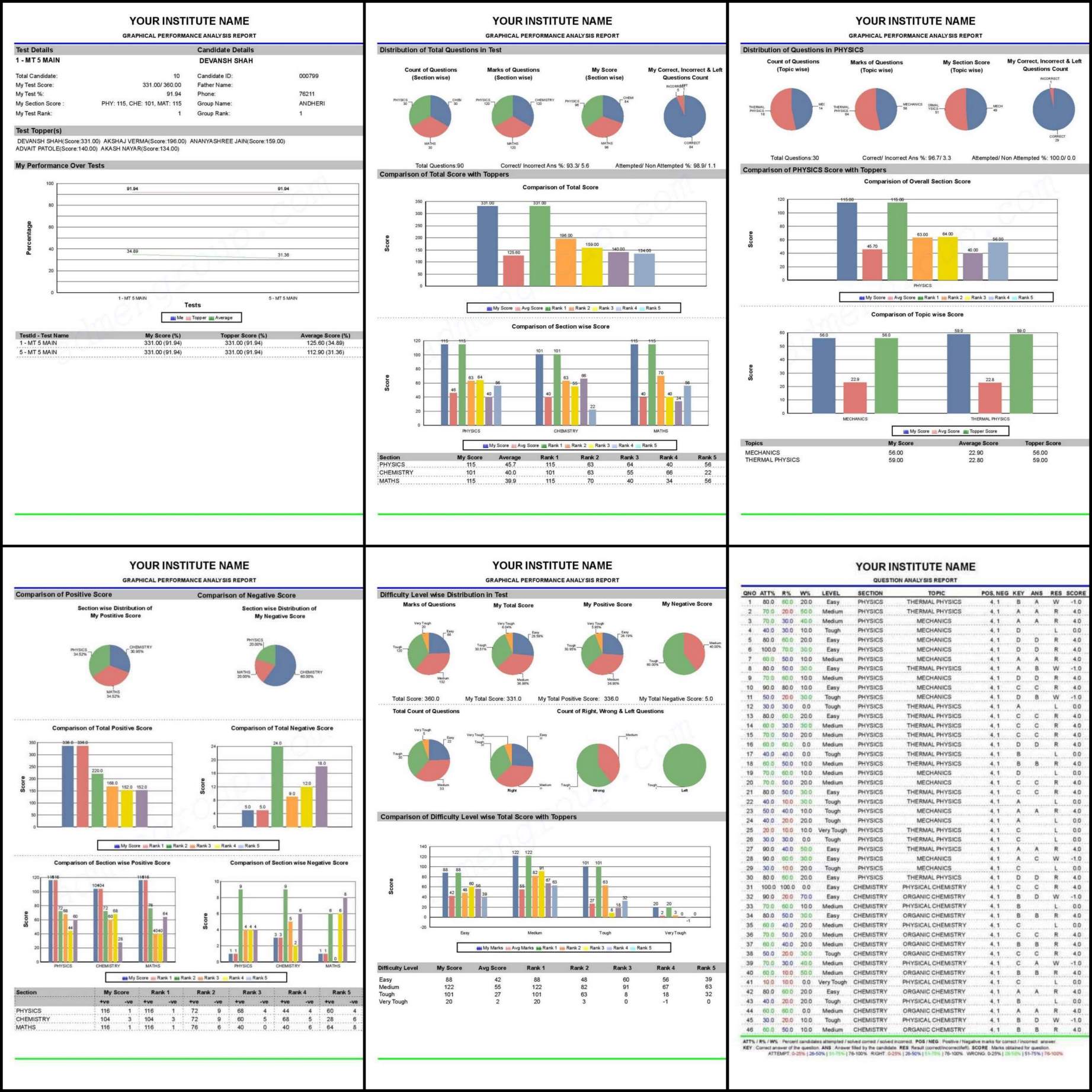
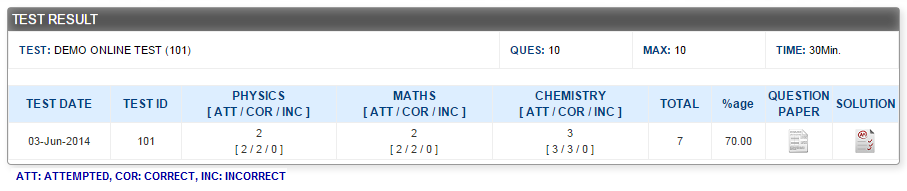
As per the policy of the Institute, the candidate can see instant result if allowed by administrator or the results will show after all students have completedtest.
A complete detailed graphical analysis report and test analysis report can be generated by the system.
If you have Addmen OMR Software, then Cumulative results from both Online Test and OMR Test can be displayed.
Output can be obtained in printable format or exported to Access, Excel, DBF, CSV or XML formats.
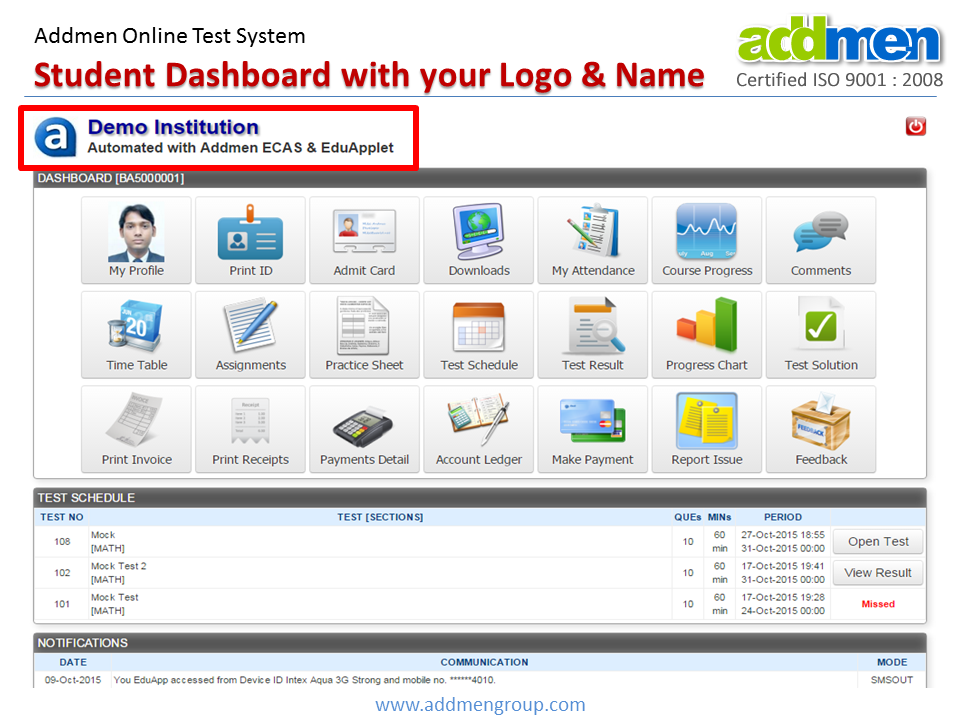
Candidate can update his own basic information and current password if allowed by administrator.
ID Card of the Logged-in Candidate can be directly viewed in pdf file.
Test Schedule and Time Table can be downloaded according to Batch/Group.
Practice sheet and Assignments can be downloaded according to Batch/Group.
Study Materials can be provided to Candidate in Downloads Panel.
If a test is created in advance, then before the activation period it will show in the list with the label "Coming Soon".
If the candidate has not started a test within the active period, it will show the label "Expired" after the active period is over, otherwise "Take Test" button will be shown if Candidate has not appearedfor the Test, and if has taken test then the label "View Result"will be shown.
Online Testing Software
Online Test System VIDEO
Online Test FREE DEMO