- Digital Marking System for CBSE
- +91 9229113533
- +91 9229113566
- info@addmengroup.com
- Send Query
- Available as OEM on GeM

Managing attendance manually — whether in schools, colleges, coaching institutes, or corporate offices — is time-consuming, error-prone, and tedious. Many attendance solutions rely on expensive biometric or machine-based scanners, which can break down or require maintenance.
With Addmen’s OMR Attendance Management Software, you get a simple, cost-effective, and reliable solution that removes the need for costly devices. Instead of manual registers or biometric machines, you use printable OMR-based attendance sheets and a regular scanner — making attendance tracking easy, automated, and hassle-free.
The Addmen Attendance Management Software offers a complete solution for tracking student or staff attendance through OMR technology. With this system, institutions can effortlessly record, scan, and process attendance using simple OMR sheets and a regular scanner.
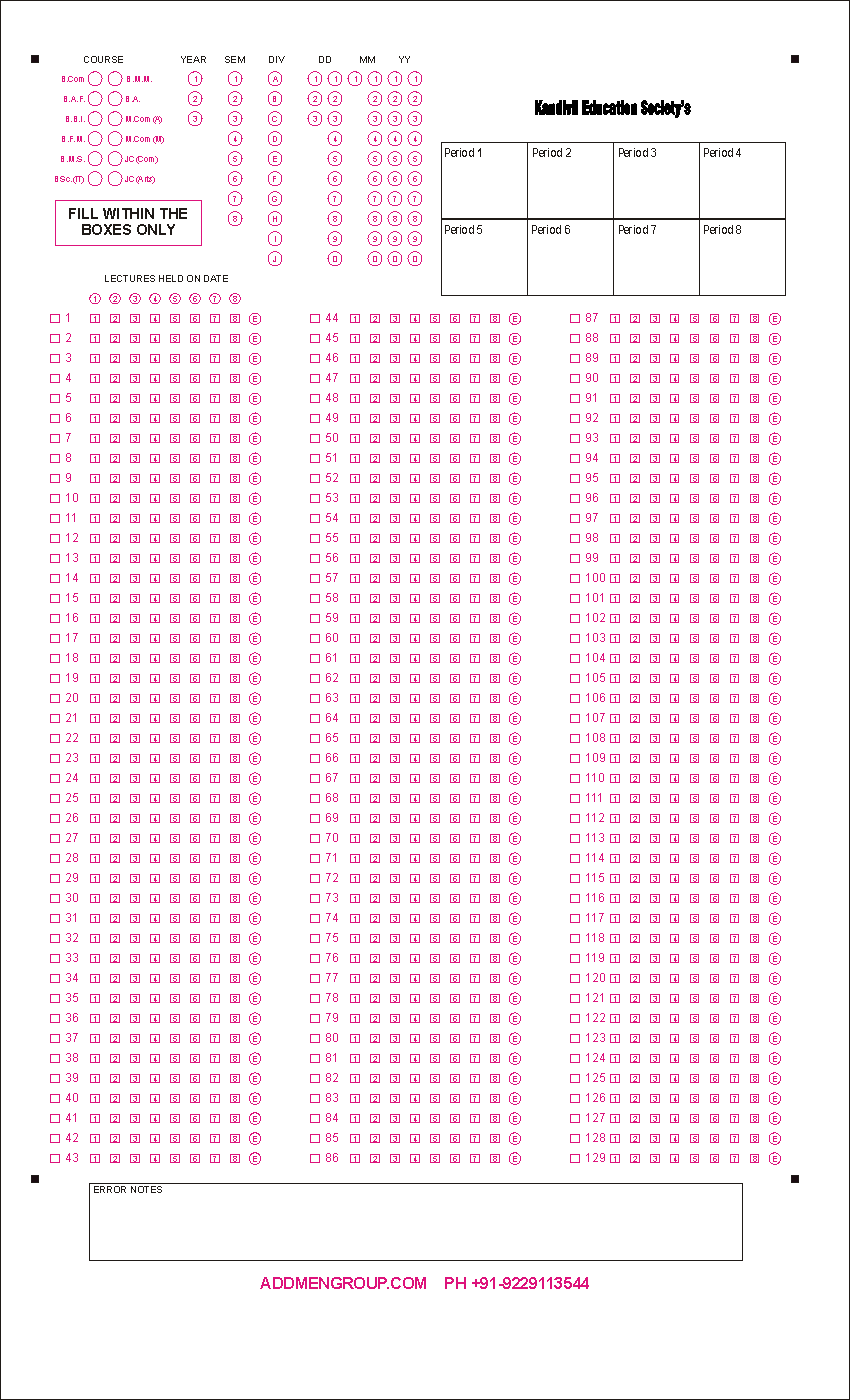
Using the software, you can create customized attendance sheets to suit your institute’s needs. These sheets can include elements such as:
Institute name and logo
Class/division details
Faculty name, subject, and date
Serial numbers
Weekly or monthly formats
Once the format is finalized, you can print attendance sheets for a week or an entire month.
At the end of the month (or week), all you need to do is scan the filled attendance sheets using any standard scanner. The software will automatically:
Read the scanned attendance sheets
Extract attendance data accurately
Export data into Excel or other usable formats
This eliminates manual data entry and ensures fast, error-free attendance processing. Suitable for Students and Staff
Customizable Attendance Sheets — Create unique attendance sheets tailored to your institution: include your logo, institute name, class/division, subject, faculty details, serial numbers, month or week, etc.
Easy Printing & Scanning — Print sheets for a month or week at a time. At month-end (or week-end), scan them using any standard image scanner — no special hardware required.
Automatic Sheet Reading & Data Export — The software reads scanned sheets automatically and exports attendance records into Excel or similar formats in minutes.
Versatile Use Cases — Works not only for student attendance in schools/colleges but also for staff attendance — including faculty in educational institutes, employees in corporate offices, security guards, or any organization requiring attendance tracking.
No Dependency on Biometric Systems — Avoid costly biometric machines, fingerprint/face-recognition hardware, or complex server setups. Even if other machines fail, your attendance system remains functional.
| Problem with Manual/Biometric Attendance | How Addmen’s OMR Software Solves It |
| Time-consuming manual registers & roll-calls | Attendance sheets are pre-printed; marking is quick and centralized. |
| Expensive hardware and maintenance costs | Only a regular scanner and printer required. |
| Biometric machine breakdown or downtime risk | OMR system remains operational even with minimal hardware. |
| Complex software/ server dependency | Simple scanning + sheet-reading workflow — minimal technical footprint. |
| Limited use case (only students or only staff) | Works flexibly for students, staff, guards — any group needing attendance tracking. |
Affordable & Low-Cost Setup: No need to invest in biometric machines — just a scanner and printer.
Quick Implementation: Start using immediately — design sheets, print, scan, and let software handle read-out & export.
Scalable & Versatile: Suitable for small institutions to large campuses; schools to offices.
Reliable & Maintenance-Free: As long as you have a scanner and printer, attendance tracking works — no complex hardware dependencies.
Easy Data Export: Generate Excel sheets or reports for further processing or record-keeping.
Many institutes and offices now use biometric systems for attendance. However, if the biometric device fails or when a reliable alternative is needed, the Addmen OMR Attendance System becomes extremely useful. It provides a dependable backup method that requires no special hardware, just printed sheets and a scanner.