The OMR form reader is a dedicated software solution from Addmen Group designed to read and extract data from printed OMR forms such as admission forms, registration forms, surveys, feedback questionnaires, and application forms. Unlike typical OMR test-checking tools that focus on evaluating answers, this software specializes in capturing structured data from multiple fields across a form — including marks, text, barcodes, and images — and exporting it to usable digital formats.
This powerful tool combines OMR (Optical Mark Recognition) with OCR (Optical Character Recognition) and ICR (Intelligent Character Recognition) technologies, enabling you to automate data capture and eliminate tedious manual data entry.
An OMR form reader is a software module that processes scanned paper forms and extracts information such as:
Filled bubbles or checkboxes
Pre-printed numeric or text fields
Handwritten content
Barcodes and identification numbers
Photos or signature images
By scanning forms through any standard image scanner, the software translates paper-based data into structured electronic records that can be exported and analyzed.
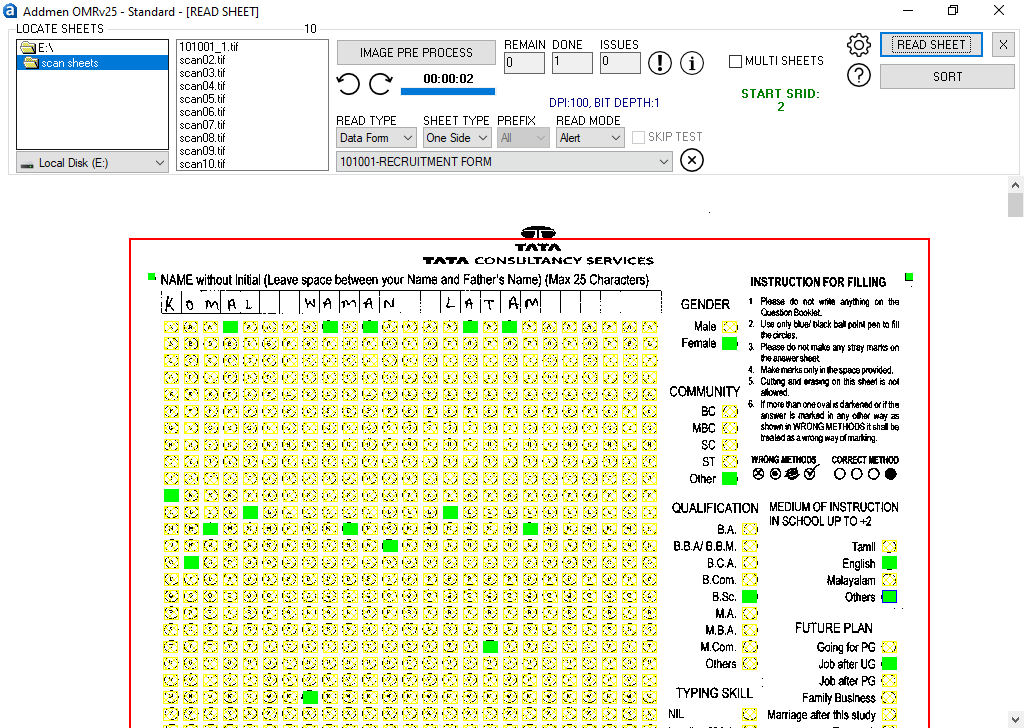
Reads filled bubbles and blocks on forms — ideal for surveys, attendance sheets, multiple‑choice options, and checkbox responses.
Extracts printed text and barcodes, such as form IDs, candidate numbers, and structured numeric fields, making scanned forms fully digital.
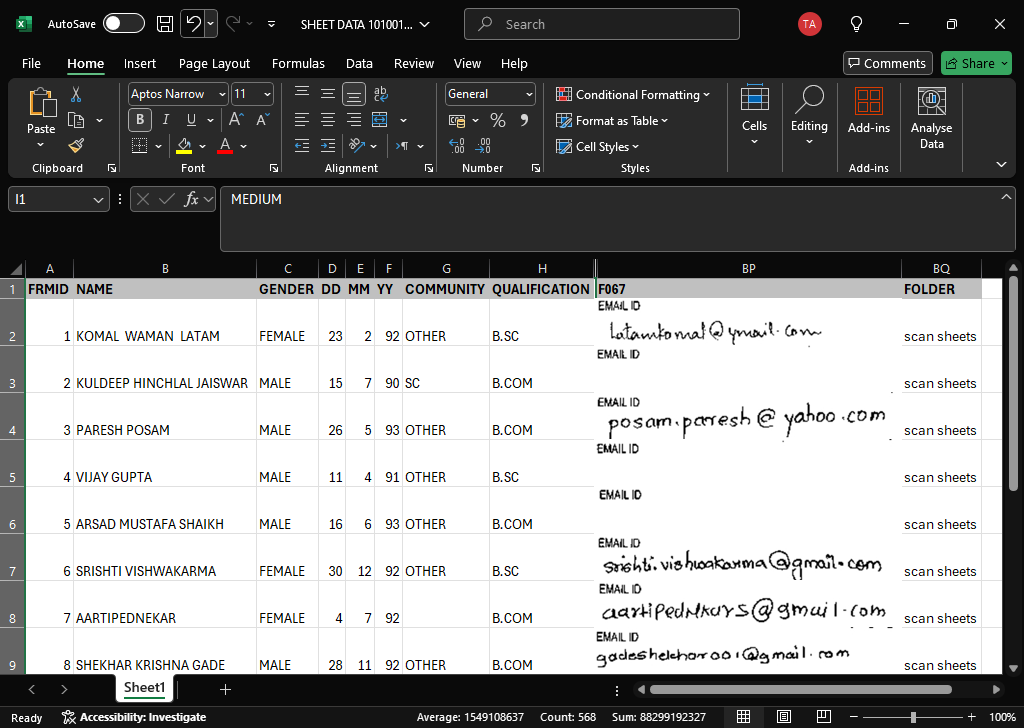
Recognizes handwritten content like names, addresses, remarks, and other free‑text responses, converting them to editable data.
Photographs or signature blocks embedded in forms are saved and linked to form records for easy reference.
Scan Physical Forms – Use any standard scanner to capture images in formats like TIFF, JPEG, or PNG.
OMR Bubble & Block Detection – The software identifies and reads all marked bubbles and checkbox fields automatically.
OCR Printed Text Extraction – Extract form numbers, ID codes, and other pre‑printed elements into digital fields.
ICR Handwritten Recognition – Interpret handwritten responses and save them as text.
Image Linking – Capture embedded photographs or signatures and associate them with the corresponding form data.
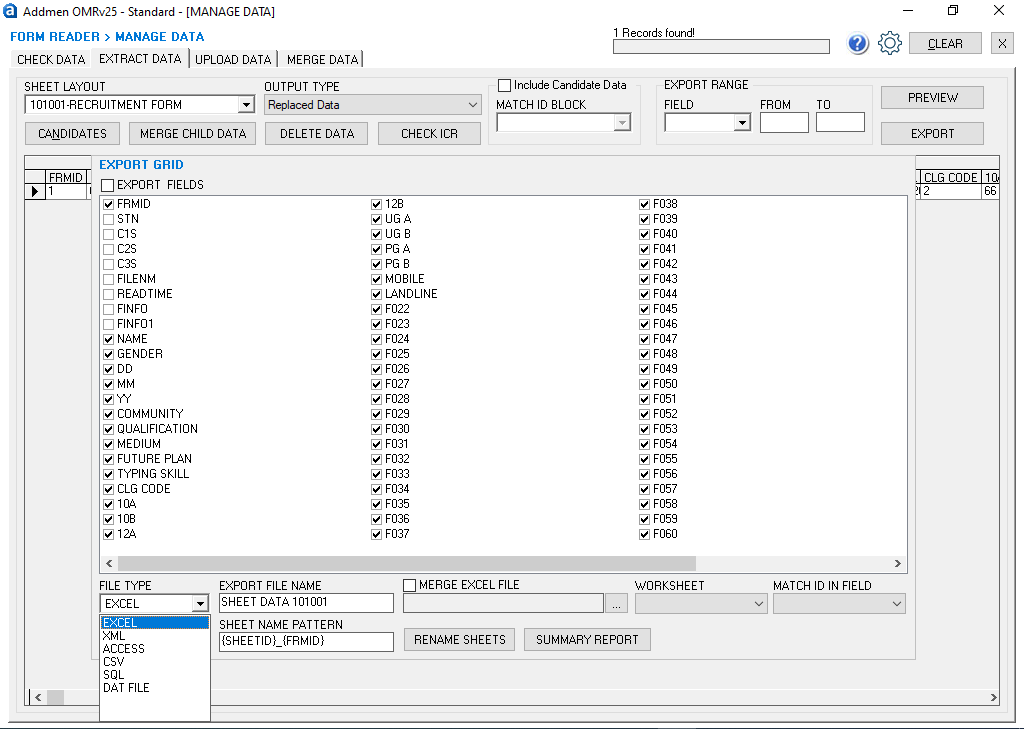
Export & Reporting – Export captured data to Excel, CSV, XML, SQL databases, Microsoft Access, and more for further use.
This integrated workflow turns stack after stack of paper forms into structured electronic data within minutes.
Combine OMR, OCR, ICR, and image reading in one system to digitize diverse form content seamlessly.
Export extracted form data to formats like Excel, CSV, XML, SQL, and Access, enabling easy integration with your databases or downstream systems.
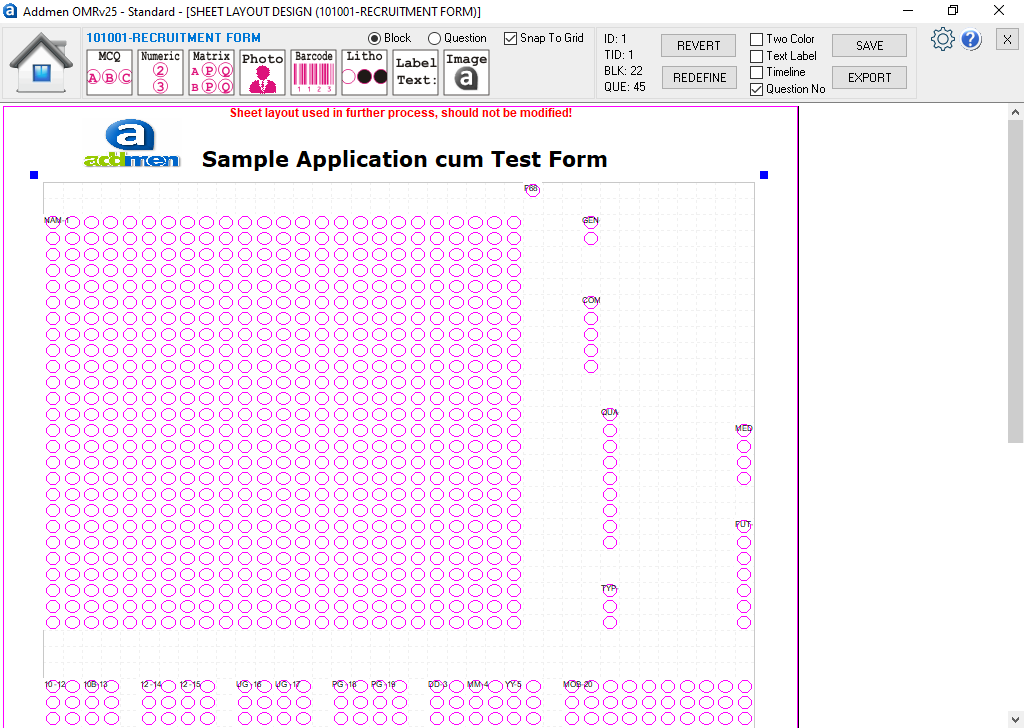
Built-in form design tools allow you to define custom OMR layouts — such as surveys, application forms, or registration sheets — without additional software.
Automatic correction of misalignment and skew from scanned forms ensures high data capture reliability, reducing errors typical in manual data entry.
Process thousands of forms quickly and consistently, making this solution suitable for high-volume form drives.
The software runs on local desktops or servers without requiring an internet connection — ideal for secure or offline environments.
The OMR form reader is ideal for:
Admission & registration processing for educational institutions and events.
Survey and feedback data capture for research or quality analysis.
Application and enrolment forms for programs, courses, competitions, or memberships.
Exam or event checklists for attendance, scoring components, or demographic data.
Large-scale data collection projects where manual entry is slow, costly, or error-prone.
Addmen’s OMR form reader provides a complete data capture platform with scalable performance, flexible deployment, and robust export options — all without needing expensive scanning hardware. It bridges the gap between paper-based form collection and digital data workflows, transforming cumbersome manual processes into efficient, automated systems.