Printing barcodes on OMR (Optical Mark Recognition) sheets enhances identification, tracking, confidentiality and scanning accuracy for exams, surveys, attendance forms and assessments. This guide provides comprehensive instructions and best practices to ensure your OMR barcodes are printed optimally and read reliably by scanning software.
OMR barcode printing involves embedding a machine-readable code (typically a linear barcode) and associated digital identifiers (OCR text) directly onto an answer sheet or form. Barcodes serve as a unique sheet identifier that the scanning software reads alongside the marked response bubbles.
Barcodes help:
Maintain confidentiality of participant identity
Improve tracking and sorting of sheets
Reduce manual data entry errors
Speed up processing and result generation
To print unique barcodes:
Provide an Excel or database file with a series of unique values (e.g., roll numbers, document IDs).
The printing system can map these values into barcode and text fields on the sheet.
Up to 20 variable fields can be integrated, though typically just 1–2 (barcode and roll number) are enough.
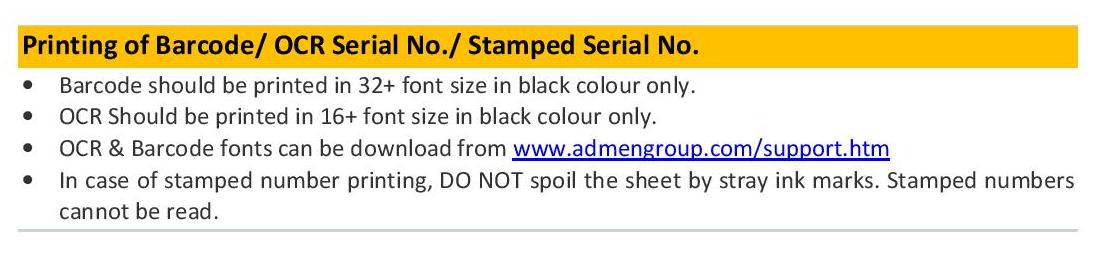
Note: Rubber stamping or manual text entries are not readable reliably by OMR scanning software. Only digitally printed barcode/text should be used.
Barcode font: Use a dedicated barcode font (e.g., Code 128, Code 39).
Recommended barcode size: A font size of 32+ is ideal — ensuring scanners capture detail clearly.
OCR (text) size: Print in 16+ font size for machine recognition.
All printed elements must be pure black for best contrast.
Only black should be used for both barcodes and OCR text to avoid scanning issues.
Colour printing or tinted barcodes can reduce readability.
Place barcodes in designated areas of the OMR sheet where scanning algorithms expect them.
Barcodes can be printed horizontally or vertically depending on layout constraints.
For critical identification fields, it’s best to print two barcodes on the sheet — the same or a related code in different locations.
If one barcode is damaged, smudged or misprinted, the second barcode often still scans successfully, improving reliability.
Use laser or high-quality digital printing to ensure crisp, clean barcode edges.
Avoid low-resolution prints that create blurred lines or uneven ink density.
Barcodes add security advantages to OMR forms:
They conceal the identity of participants from markers, preventing bias.
Barcodes that are not easily readable by the naked eye discourage sheet tampering.
Unique barcodes prevent duplication and maintain traceability across large batches of sheets.
| Mistake | Why It Happens | How to Fix |
| Barcode too small | Poor design setup | Use 32+ font and test print |
| Colour barcodes | Low contrast | Always print black only |
| Manual numbers | Stamp/writing | Use digital variable data printing |
| Incorrect placement | Misalignment | Place in software‑designated areas |
| One barcode only | Risk of misread | Print dual barcodes |
| (Based on standard barcode printing practices and Addmen Group guidelines) |
Common 1D barcode formats suitable for OMR sheets include:
Code 128 — dense encoding and high reliability
Code 39 — simple structure and easy generation
Choose the type based on your software requirements and expected scanner capabilities.
Before a full print run:
Print sample sheets with barcodes and test with your OMR software/scanner.
Validate that barcodes are read consistently at the selected DPI and placement.
Confirm that duplicate barcode placements scan if the first fails.
Addmen Group’s OMR software includes built-in modules to generate, print and read barcodes compatible with variable data sources like Excel. If you need font downloads, placement guidance or pre-print testing, technical support is available through our support channels.