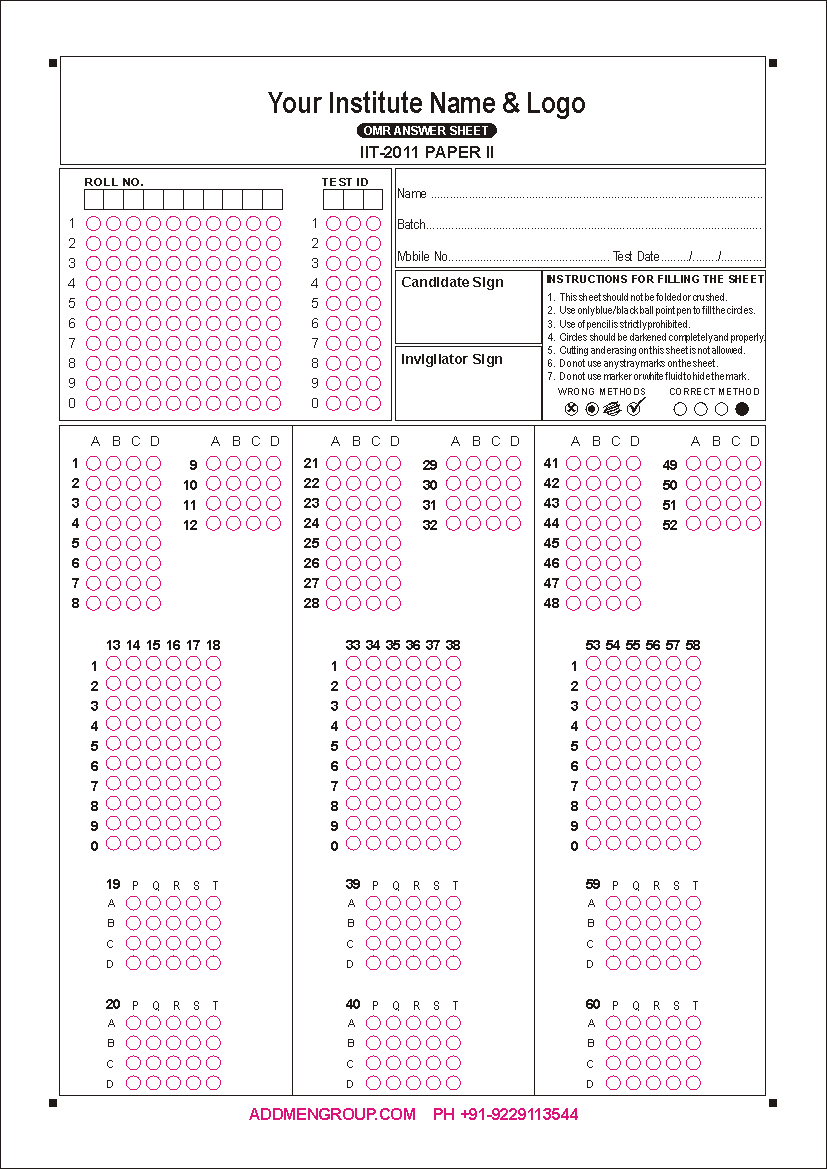
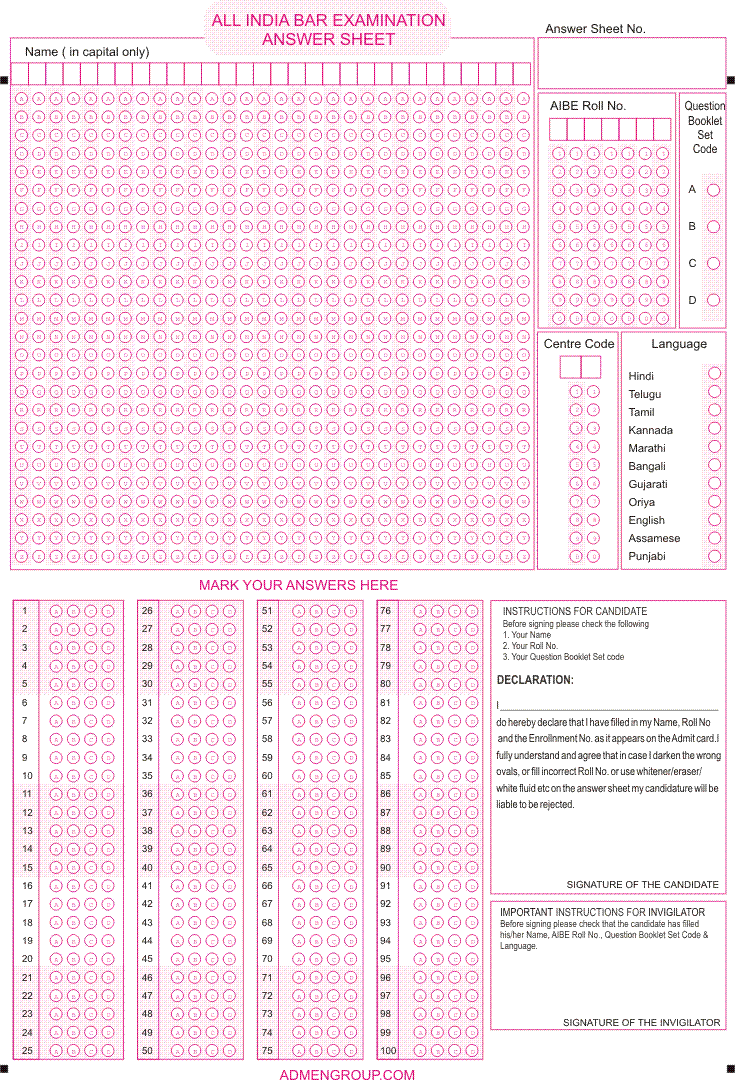
At Addmen, we offer expertly designed coloured OMR sheets that combine visual clarity with technical precision. Our coloured OMR solution ensures that whether for exams, surveys, feedback forms or tests, your OMR sheets remain machine-readable, accurate, and easy to process.
Coloured OMR sheets help differentiate forms visually — useful when you have multiple sets, test variants, feedback/ survey forms, or want a professional look.
For marking patterns that use tick marks or thin strokes (rather than fully-filled bubbles), coloured backgrounds make it easier for OMR software to distinguish user marks from stray lines — improving overall read accuracy.
Coloured sheets are especially helpful for surveys, feedback forms, or non-MCQ sheets, where ticks or light marks are more common than solid bubble-filling.
To ensure your coloured OMR sheets remain fully compatible with OMR scanning and processing, follow these guidelines:
Always print index-points and timelines in solid black — these are critical for sheet alignment and correct reading by OMR software.
Use a two-color printing scheme: black for technical elements (index marks, bubble outlines, structure), and a light secondary color (like pink, light orange, golden yellow, or other light shades) for non-critical design parts or background.
Avoid dark or problematic colors — deep shades like dark blue, bottle green, or intense greens/blues can interfere with scanning; they may mask or distort marks.
Use good printing practices: maintain correct paper size, print quality, and no scaling or distortion — especially in offset printing or bulk sheet production — to preserve alignment and prevent read errors.
Coloured OMR sheets are highly recommended for:
Surveys, feedback forms and questionnaires
Tests or exams where students/participants are asked to tick or check options instead of filling bubbles
Large assessments where different sets/templates need differentiation (e.g. Set A / Set B / Set C)
Institutional forms, admission forms, attendance sheets or multi‑format answer sheets where design clarity matters
| Benefit | Description |
| Improved Mark Recognition | Even thin tick or check marks are detected reliably by the OMR software on coloured sheets. |
| Visual Differentiation | Easy to distinguish between different exam sets, forms, or batches — reducing confusion during distribution. |
| Cost-Effective & Hardware-Free | Sheets can be printed on standard printers (laser or inkjet) and processed with regular scanners. |
| Flexible & Customizable | Use for MCQ tests, surveys, feedback forms, application forms, attendance logs — whatever your need. |
| Accurate & Professional | Proper design ensures clean scanning, minimal error, high reliability for large-scale exams or surveys. |
For coloured OMR sheets, use laser or inkjet printers (or offset printing for bulk requirements).
When printing via offset, ensure perfect registration (black + color layers overlap exactly) to avoid misalignment that can break scanning accuracy.
While scanning coloured sheets, set the scanner to color (RGB) mode - this allows the OMR software to apply “color dropping,” filtering out background colour and isolating dark marks for accurate reading.
Avoid using dark or saturated colours for bubble outlines or backgrounds - always stick to light, scanner-safe shades.
When your exam or form uses checkboxes or tick marks instead of filled bubbles.
When you need to print multiple batches/forms and differentiate between them easily.
When you want a professional-looking, pre-printed sheet for surveys, feedback, or data-collection forms rather than standard black-and-white sheets.
When you need to support thin marks (ticks/√) rather than heavy shading, to improve scanning accuracy.