This page provides detailed guidelines for OMR sheet printing and cutting, ensuring your answer sheets are scanner-ready, accurate, and professional. Following these instructions is essential for schools, colleges, coaching institutes, exam centers, and testing agencies to prevent errors during optical mark recognition.
Selecting the right paper is the first step for error-free OMR sheets:
Use high-quality, smooth paper (80–120 GSM recommended).
Ensure uniform thickness to prevent jams and scanning errors.
Avoid glossy, reflective, or very thin paper that may distort marks.
Use white or off-white paper for clear contrast with pencil/ink marks.
Check opacity to prevent marks from showing through multiple pages.
Proper design ensures accurate scanning and efficient evaluation:
Bubbles: Clearly defined, evenly spaced, circular/oval response areas.
Columns & Rows: Maintain uniform alignment to prevent scanner misreads.
Instructions Section: Place instructions at the top or margins — keep outside bubble area.
Candidate Details: Include fields for name, roll number, registration code, date, and exam ID.
Page Numbering: Number all sheets for multi-page exams.
Sectioning: If multi-section, clearly mark section headers and page breaks.
Question Numbers: Align question numbers correctly with bubbles.
Answer Key Area: Include correct marks if pre-filled answer sheets are required for practice tests.
Margins: Keep standard margins to prevent scanner misalignment.
Barcodes/QR Codes (Optional): For candidate tracking and faster scanning.
Registration marks are essential for scanners to detect sheet orientation.
Include top, bottom, and side registration marks as per scanner specifications.
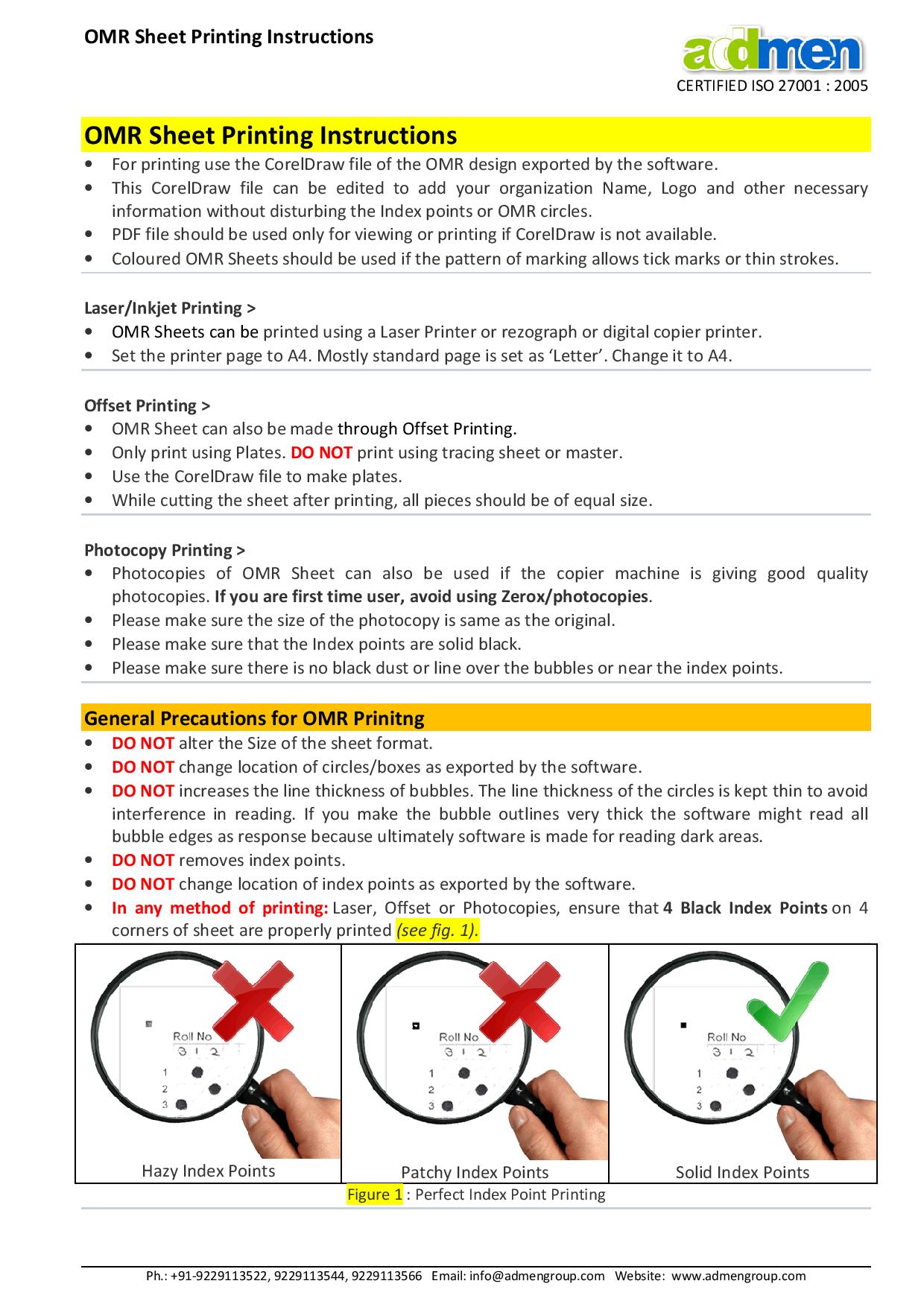
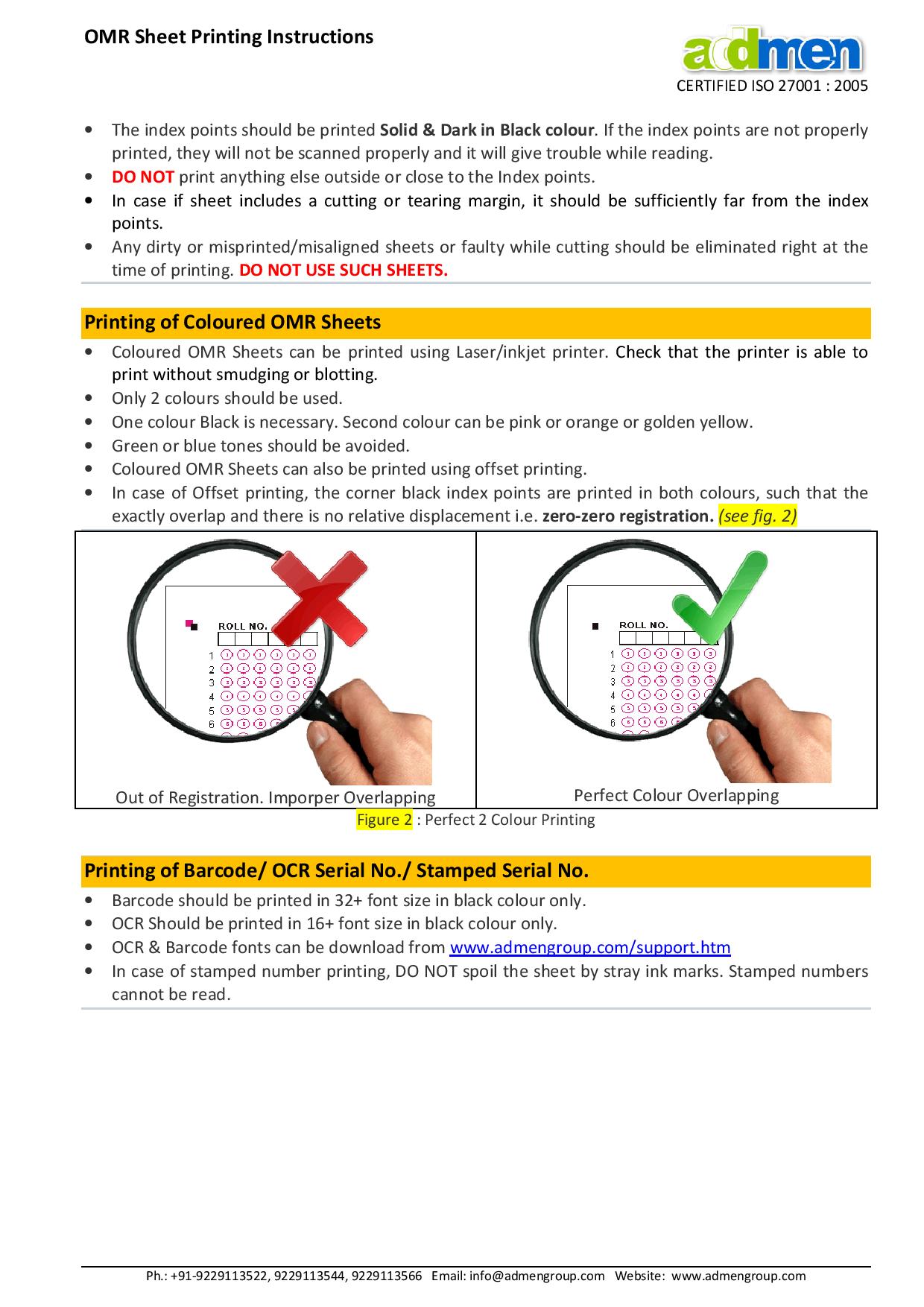
Ensure marks are dark, consistent, and within prescribed boundaries.
Avoid printing marks too close to edges or perforation lines.
Use high-resolution printing (minimum 300 dpi).
Prefer laser printers or offset printing for consistent output.
Ensure sharp edges on bubbles and gridlines.
Use fade-resistant ink to prevent marks from disappearing during handling.
Print test sheets before full batch to verify clarity.
For multi-page booklets, maintain consistent orientation and correct duplex printing if required.
Accurate cutting is critical to maintain bubble alignment.
Cut sheets along predefined boundaries without disturbing registration marks.
Use precision cutting machines to avoid jagged or uneven edges.
Verify dimensions of sheets post-cutting to match scanner input specifications.
Use perforations for easy separation of sections or answer sheets.
Ensure perforation does not interfere with registration marks or bubble area.
Avoid over-perforation that may tear sheet edges.
Keep perforations straight and evenly spaced.
Test Scan: Scan sample sheets to ensure bubbles and marks are detected.
Alignment Check: Verify that all registration marks and rows of bubbles are aligned.
Printing Check: Ensure uniform ink density and clarity across all sheets.
Cutting Check: Confirm sheets are properly cut and perforated.
Mock Filling: Fill sample sheets with pencils/ink to test detection.
Batch Consistency: Check that all sheets in the batch are identical in layout, print, and cut.
Store OMR sheets in a cool, dry environment.
Avoid direct sunlight or moisture, which may warp paper.
Keep sheets flat, avoid bending, folding, or stacking under heavy loads.
Handle with clean, dry hands to prevent smudging of printed areas.
Store away from magnetic or electronic devices that may affect printed codes (barcodes/QR codes).
Using incorrect paper thickness leading to scanner jams.
Misaligned registration marks or bubbles.
Faded printing or low-contrast ink.
Jagged cutting or perforation interfering with scanning.
Printing instructions inside bubble area.
Improper page numbering or missing section markers.
Ignoring scanner specifications for layout, mark size, or spacing.
Always verify OMR scanner specifications before final printing.
Maintain a few sample sheets for testing before bulk printing.
Train invigilators and students on correct filling methods (pencil type, shading).
Keep backup sheets for emergencies.
Avoid last-minute printing; always schedule for buffer time.
Color Coding: Use colored headers or sections to differentiate parts of the test.
Security Features: Include serial numbers, barcodes, QR codes for tracking and verification.
Institution Branding: Add logos or watermarks without interfering with scanning areas.
Instructions on Sheet: Include filling instructions in a non-bubble area for clarity.
Following these OMR sheet printing and cutting guidelines ensures:
Accurate scanning and evaluation
Professional and durable exam sheets
Reduced errors in result calculation
Efficient preparation and smooth exam administration
By adhering to these comprehensive best practices, institutions can run exams confidently with error-free results.