
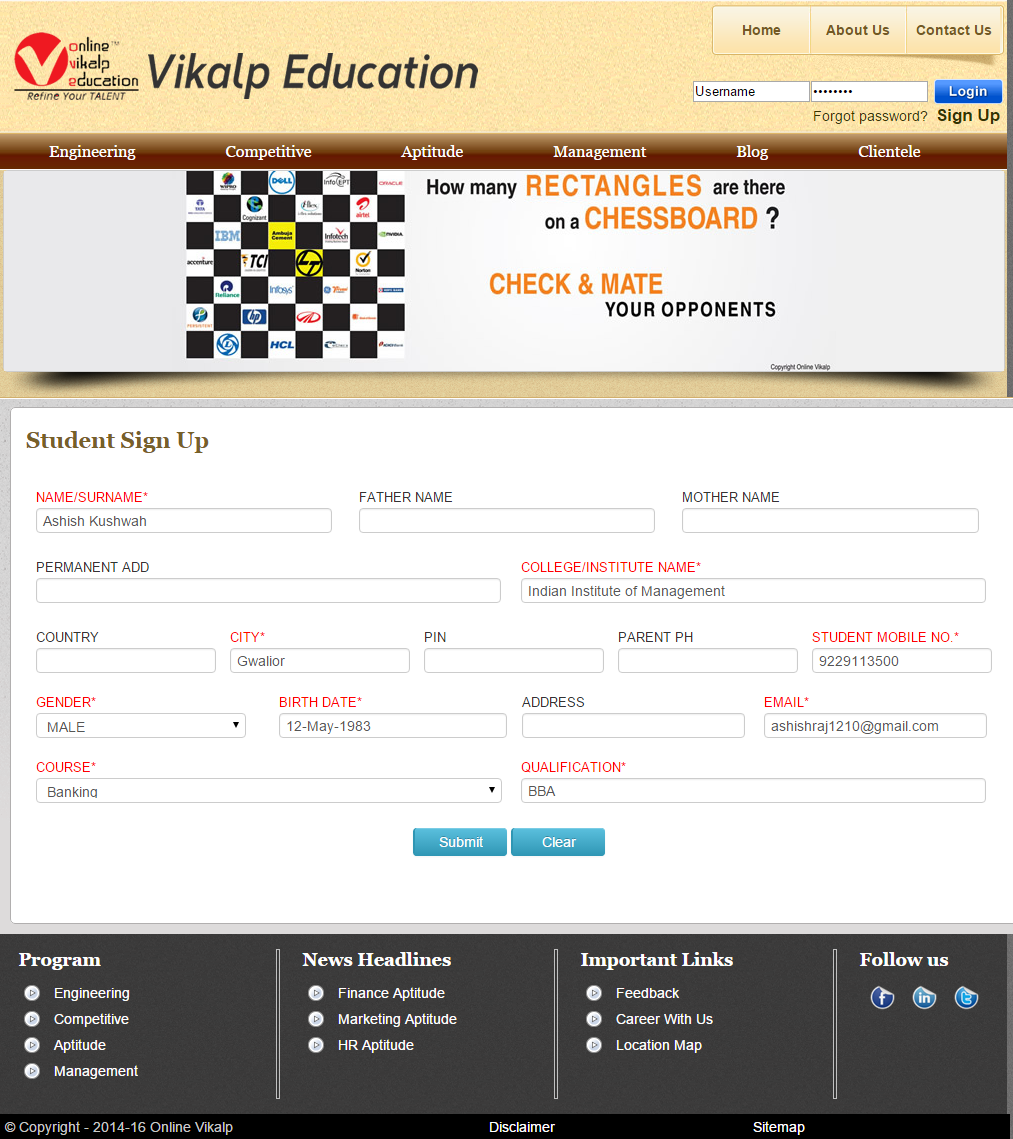
Addmen Group’s online exam software includes a flexible and secure online test registration form that can be integrated directly into your institution’s website. This allows candidates to self-register for online exams — reducing administrative workload and improving the candidate experience.
Whether you’re conducting competitive exams, academic tests, mock tests, recruitment assessments, or practice exams, providing an easy registration interface makes it simple for candidates to sign up, receive credentials, and start their online testing journey.
Online test registration refers to the process where candidates enter their basic information to create login credentials (username and password) that grant access to your online exam platform. These credentials allow candidates to securely log in and attempt scheduled tests.
This registration form can be placed directly on your website and branded to match your institute — candidates never leave your domain to sign up for tests.
Display the online exam registration form on your website — candidates can sign up directly without administrative data entry.
New users — including those who have not visited your physical institute — can register themselves using the online form, increasing accessibility and reach.
Admins and exam coordinators can also manually register candidates through the backend if needed, such as for internal students or pre-enrolled batches.
The registration interface can be branded to display your institute logo and styling, while the Addmen product name remains hidden, giving a seamless experience.
Here’s how candidates are registered and onboarded into your online exam system:
Add a direct Online Test Registration Form link on your homepage or test portal, inviting candidates to register for upcoming exams.
Candidates fill in their details — name, email, contact information, and any required registration fields.
After submission, a username and password are generated and sent to the candidate via email or SMS (depending on your setup). These credentials let them log in to the online test system when tests are available.
With their credentials, candidates can log in to the exam portal, view available tests, and attempt online exams during the active period.
Self-registration means your team doesn’t have to manually enroll every candidate, saving time and effort.
Registered users receive credentials quickly and can log in whenever tests are open.
The registration form and login screens use your institute’s branding, preserving your identity while ensuring a professional experience.
This system works for a few candidates or thousands of test takers, making it ideal for large scale online exams.
Educational Institutions — For semester tests, entrance exams, or mock practice series
Coaching Centers — For registering students for competitive test series
Recruitment Agencies — For candidate sign-ups in hiring assessments
Certification Bodies — For candidate registration in certification tests
Training & Skill Assessment Providers — For online performance evaluations
To enable secure online test registration:
Link your website with an online registration form for candidates.
Configure automated credential delivery via email/SMS.
Manage registrations and enable test access through the online exam admin panel.
Track candidate registrations, test status, and performance in real time.
| Click here to complete your step 1 |
Online Testing Software
Online Test System VIDEO
Online Test FREE DEMO
