
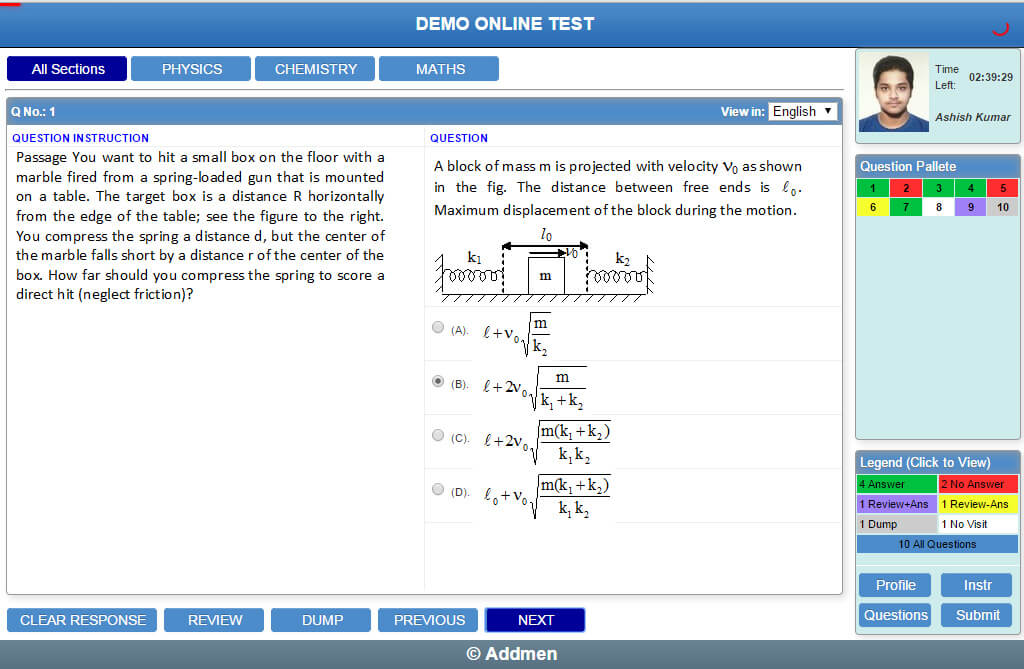
Addmen Group’s online exam software provides a user-friendly interface that allows candidates to view, launch, and attempt online tests securely from their personalized dashboard. Designed to support various types of assessments at scale, this system helps institutes and coaching centers deliver tests efficiently while giving candidates an intuitive test-taking experience.
Candidates are shown only those tests that are assigned to their batch, group, or course, and tests appear dynamically based on schedule, availability, and expiry settings defined by the administrators.
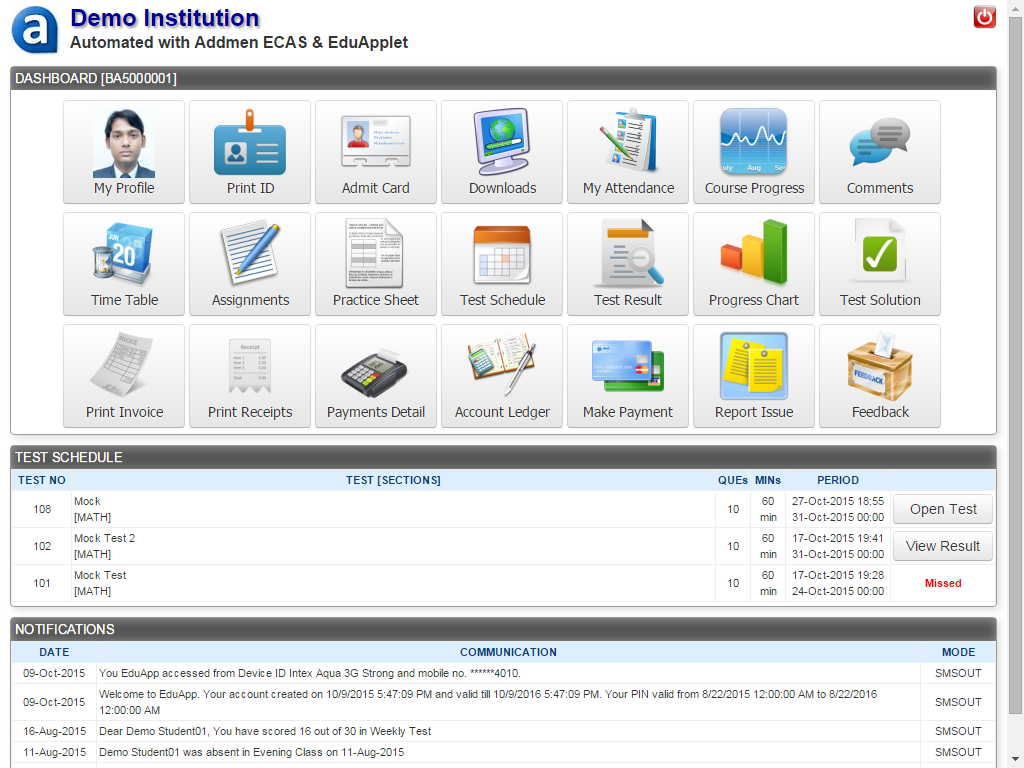
Once logged in, a candidate sees an organized online exam dashboard listing all tests relevant to them:
Coming Soon: Tests scheduled to open in the future
Take Test: Active tests available to be attempted within the permitted test period
View Result: Completed tests for which results and solutions are accessible
Beyond active tests, candidates have access to additional tools from their dashboard:
Download schedules, exam instructions, and upcoming test details in advance.
Candidates can access batch‑specific study resources such as practice sheets, assignments, and downloadable study materials.
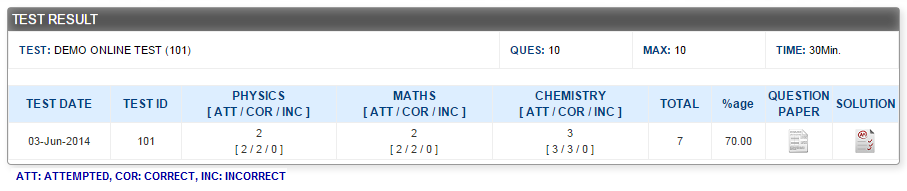
For completed tests, candidates can click View Result to see their score and detailed solutions, if enabled by the test administrator.
| Label | Description |
| Coming Soon | Test scheduled but not yet active. |
| Take Test | Test is active and available for attempt. |
| Expired | Candidate did not attempt within the allowed period. |
| View Result | Test completed and results available (if permitted). |
Candidates only see tests assigned to their group or course, ensuring relevance and focus.
Users can easily identify which exams are upcoming, active, or completed, eliminating confusion and improving test participation.
Embedded access to study materials, practice sheets, and schedules empowers candidates to prepare effectively before attempting tests.
When enabled, instant test results and detailed solutions help candidates understand performance and learn from mistakes right after submission.
This candidate-centric online test interface is ideal for:
Educational Institutions running batch-wise semester exams
Coaching Centers offering mock test series, practice tests, and competitive exam prep
Recruitment Platforms assessing numeracy, logic, and job-specific skills
Training & Certification Providers evaluating learning outcomes and competency levels
An intuitive and scheduled candidate test access system ensures that learners can confidently attempt their tests, retrieve important study resources, and review results — all from one central online test interface. By empowering learners with clear test statuses and helpful tools, institutions can elevate the overall online exam experience and support better preparation outcomes.
Online Testing Software
Online Test System VIDEO
Online Test FREE DEMO
