
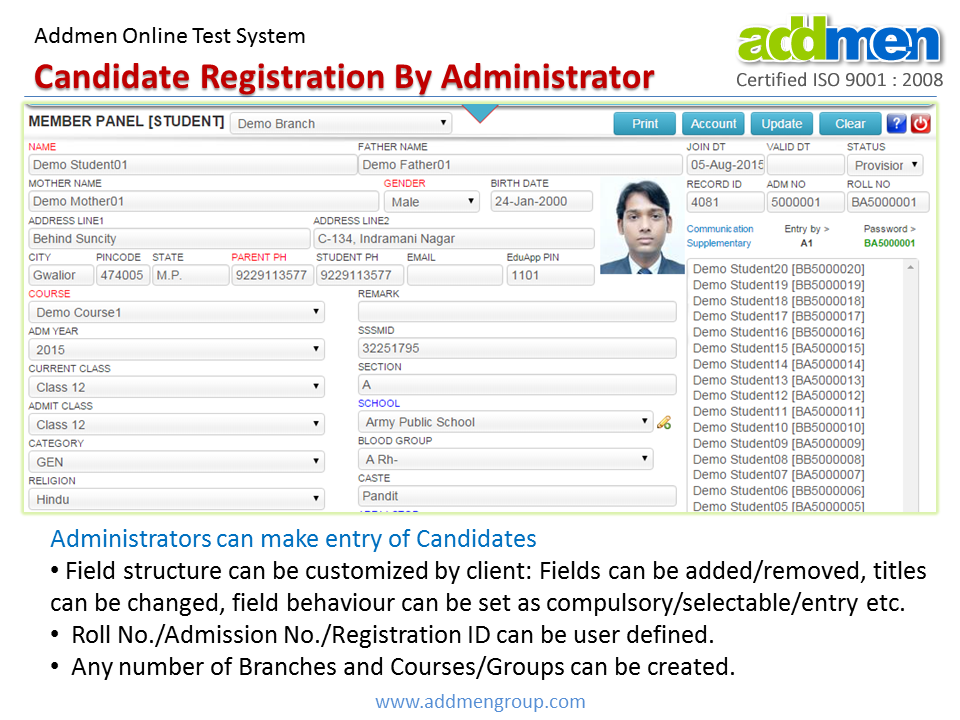
Addmen Group’s online test software includes a flexible and secure candidate registration system that lets individuals sign up for online tests and exams through a streamlined interface. This solution supports self-registration, bulk user upload, and administrative enrollment — all integrated directly into your online exam platform for efficient test access and management.
Whether you’re conducting competitive exams, admission tests, certification assessments, or practice tests, a smooth registration process is essential to improve candidate experience and reduce administrative workload.
Candidate registration is the process where test-takers enter their personal details to create login credentials that allow access to online tests. Once registered, candidates can log in, view scheduled exams, and attempt tests assigned to their profile — all through the online exam software dashboard.
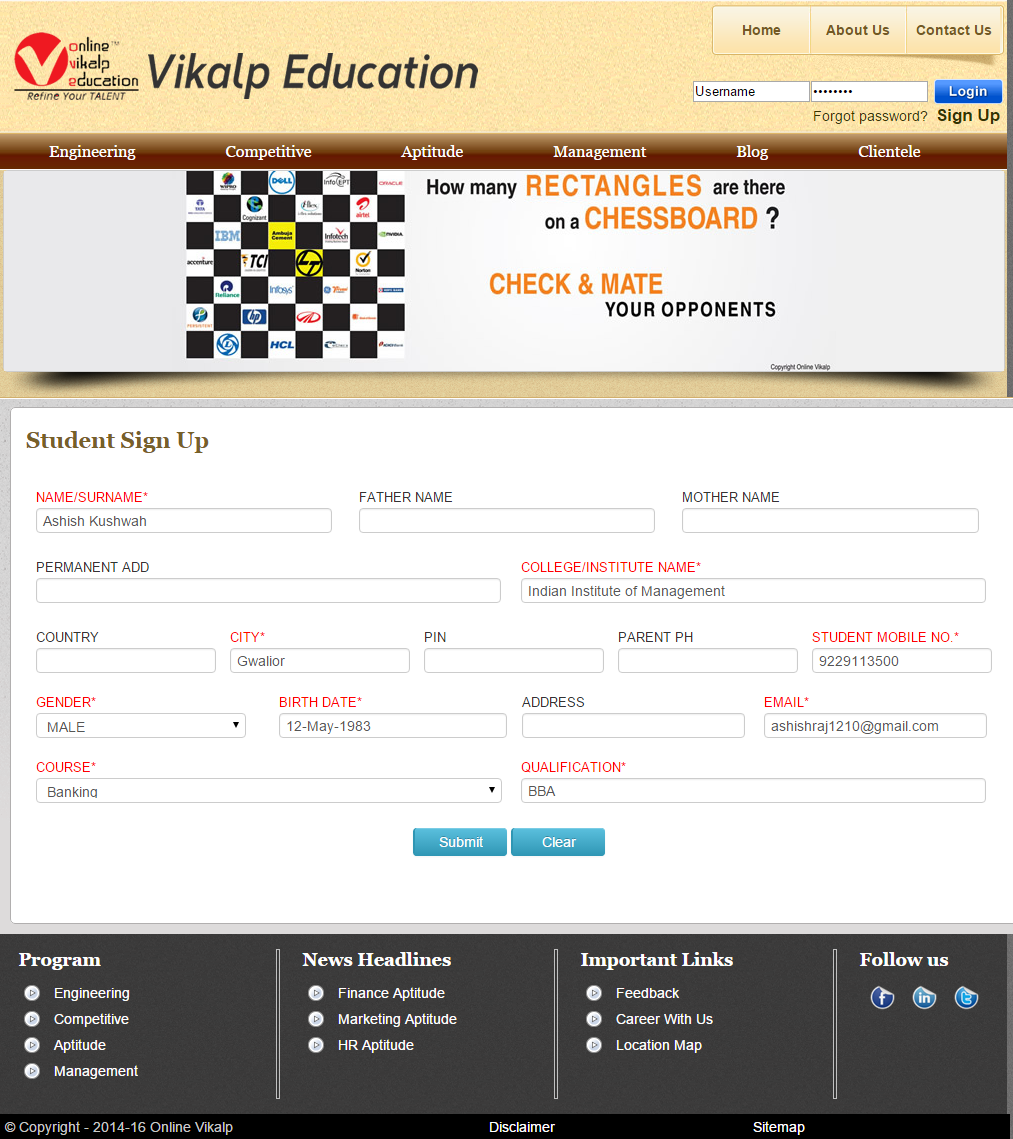
This registration interface can be embedded on your website to provide a branded, seamless experience for users.
1. Web-Embedded Registration Form
Publish the online test signup form directly on your website so candidates can enroll for tests without backend intervention.
2. Self-Service Candidate Enrollment
Allow new test-takers to register themselves, increasing accessibility and eliminating manual data entry for administrators.
3. Bulk Registration Option
Upload candidate lists in bulk using CSV/Excel files to rapidly enroll large groups of users — ideal for institutions and coaching centers.
4. Automated Credential Delivery
Send user IDs and passwords automatically via email and SMS (optional) at the time of registration, enabling immediate access to the online exam portal.
5. Custom Branding
Display your institution’s logo and style on the registration interface — keeping the experience cohesive and professional.
6. Security & Data Integrity
Ensure secure transmission and storage of candidate credentials and personal data with role‑based access controls.
Here’s how the registration process works step-by-step:
Step 1 — Place the Registration Form on Your Site
Embed the candidate registration form on your website or exam portal.
Step 2 — Candidates Sign Up
Users enter their details (name, email, phone, etc.) to create an account.
Step 3 — Credential Generation
The system auto-generates login credentials and delivers them via email or SMS.
Step 4 — Exam Access
Registered candidates log in to the online test system, view upcoming tests, and attempt exams when scheduled.
This automated workflow ensures that both administrators and candidates have a smooth enrollment experience.
Reduced Administrative Overhead
Self-registration and bulk upload features eliminate repetitive data entry tasks.
Faster Onboarding
Candidates can begin their exam journey quickly without delays in credential setup.
Enhanced User Experience
A well-designed registration interface improves conversion and reduces drop-offs at signup.
Scalable for Any Volume
Works for small classes or thousands of test-takers — no performance compromise.
Consistent Branding
Keep your institute or coaching center’s identity prominent throughout the candidate journey.
Educational Institutions — For entrance tests, periodic assessments, and online semester exams.
Coaching Centers — For student enrollment in mock test series and practice sessions.
Competitive Exam Platforms — To manage candidate enrollments for tests like IBPS, SSC, JEE, NEET, etc.
Recruitment & HR Teams — For candidate sign-up before online hiring assessments.
Certification Bodies — For professional certification exams requiring candidate access control.
1. Keep Forms Simple
Only ask for essential information to maximize completion rates.
2. Use Captcha & Validation
Protect your form from bots with simple validation and captcha checks.
3. Provide Clear Instructions
Display helpful tips such as required formats (email, mobile number) next to input fields.
4. Automated Communication
Configure email and SMS alerts to improve candidate communication about registration status, test schedules, and reminders.
To enable candidate registration for your online tests:
Configure Your Registration Form — Add fields and branding.
Embed on Your Website — Place the form where candidates can easily find it.
Set Up Automated Delivery — Enable email/SMS for credentials.
Manage Registrations — View candidate lists and statuses in your admin panel.
Launch Tests — Assign tests and allow candidates to attempt them via the login portal.
Prepare your system to capture, qualify, and convert test-takers with a secure and efficient registration system that integrates seamlessly with your online exams.
Online Testing Software
Online Test System VIDEO
Online Test FREE DEMO
