
This page answers all frequently asked questions regarding the output of question papers created using the Addmen Group Test Generator Software (Question Paper Generator or QPG). It explains the supported formats, customization options, printing considerations, OMR readiness, multilingual output, and best practices for exporting and using the generated papers.
Whether your requirement is print-ready exam papers, digital distribution, or online test integration, this guide gives you clear, practical information to ensure your output meets academic and professional standards.
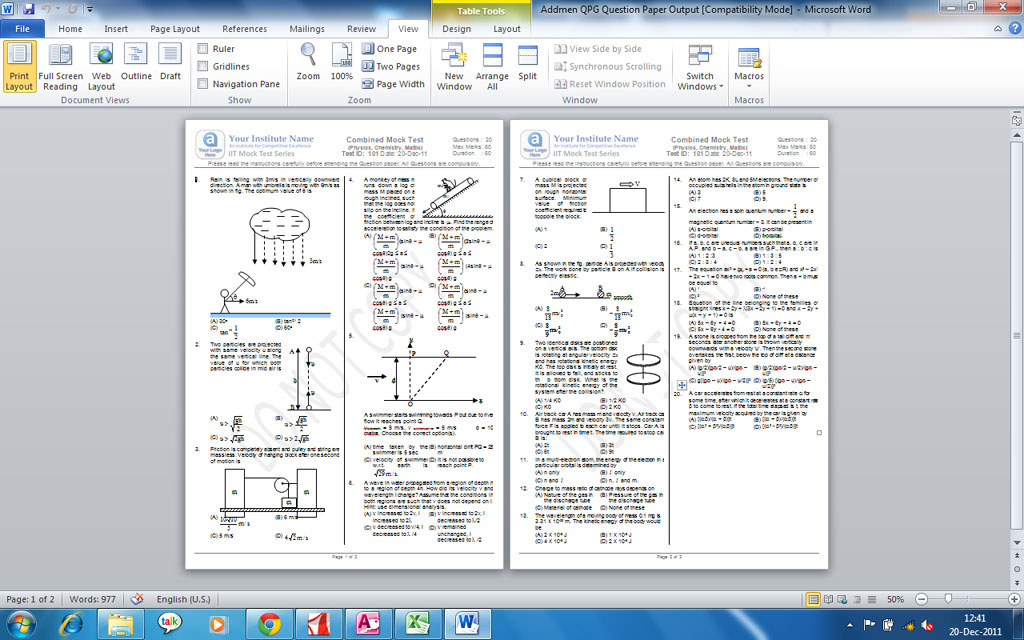
The Question Paper Generator supports multiple high-quality output formats, including:
Microsoft Word Documents (.doc / .docx) — Ideal for editable output, review cycles, and faculty modifications.
PDF Files (.pdf) — Preferred for final distribution, printing, and secure sharing.
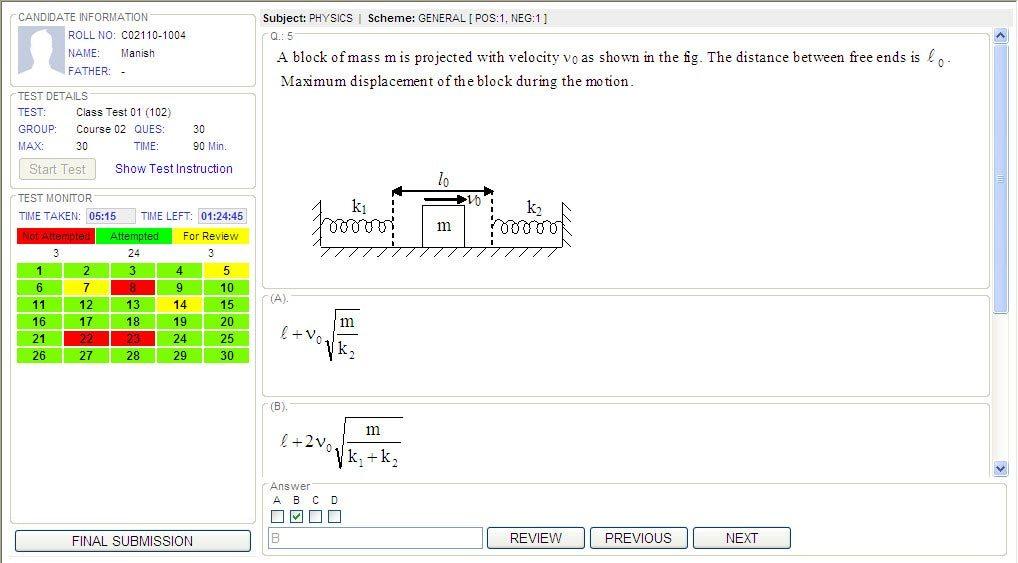
Soft Copies for Online Test Systems — Structured output that can be used as input for online exam platforms and LMS integrations.
These formats ensure flexibility whether you want to edit, print, archive, or upload your question papers.
Yes. The software produces print-ready question papers that can be printed directly without additional adjustments. The print outputs maintain:
Correct page size and orientation
Consistent margin settings and spacing
Professional header and footer layout
Clear sectioning and numbering
For printing, always select actual size (100%) in your print dialog and avoid scaling options like “Fit to Page” to ensure dimensions remain intact.
Absolutely. You can design and apply custom Word templates that define:
Institution logo
Header and footer text
Watermarks
Paper title and header layout
Page size and orientation
Templates can be saved and reused so that every generated paper adheres to your brand or institutional identity.
Yes. The question papers can be generated in formats that are compatible with OMR (Optical Mark Recognition) systems. When preparing for OMR output:
Use consistent indexing and bubble alignment
Ensure clear contrast around index marks
Avoid placing text too close to scanning areas
Test one or two sheets before bulk printing
The software supports output that integrates seamlessly with OMR scanning workflows.
Yes. After generating the question paper, you can produce:
Separate answer key files (Word or PDF)
Combined question paper with answer key sections
Shuffled answer keys that correspond to multiple paper sets
This is particularly useful for evaluators, invigilators, and automated scoring systems.
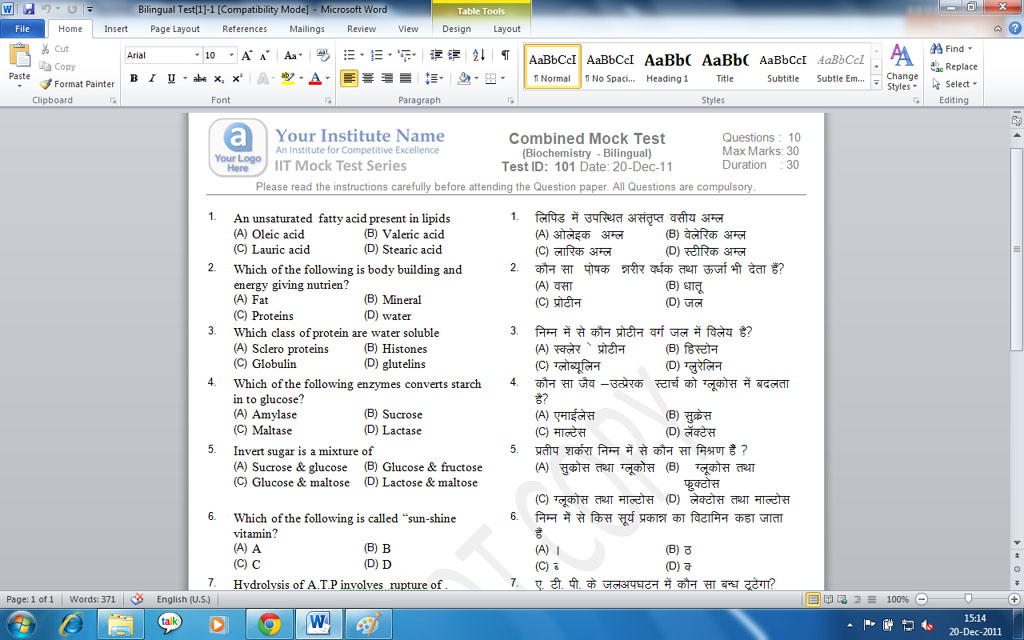
Yes. If you have prepared your question bank in multiple languages, the software can generate output in:
Single language only
Bilingual format where two languages appear on the same paper
Separate language versions depending on requirement
Note that content must be present in the database in the languages you want to output — the software does not auto‑translate.
Yes. You can generate multiple distinct papers from the same blueprint using the shuffling feature. The output will include:
Multiple Word or PDF files — one for each set
Corresponding answer keys
Shuffled options and questions based on your settings
Names or identifiers for each set, if required
This is ideal for large exam sessions where different versions are needed to reduce malpractice.
Yes. Besides printable formats, you can export outputs in ways that integrate with:
Online testing platforms
Virtual Learning Environments (VLE)
Learning Management Systems (LMS)
The output can be adapted into online exam structures by converting Word or PDF content into the required platform format.
The software supports:
High-resolution diagrams and images
Mathematical formulas included in questions
Embedded charts and tables
When exporting to Word or PDF, these elements are preserved with clarity. For print, ensure your printer supports the resolution to prevent degradation.
Yes. The software automatically includes:
Page numbers
Section headers and sub-titles
Section labels (e.g., Part A, Part B)
Exam title, date, and instructions
You can customize these elements via output templates and layout settings before export.
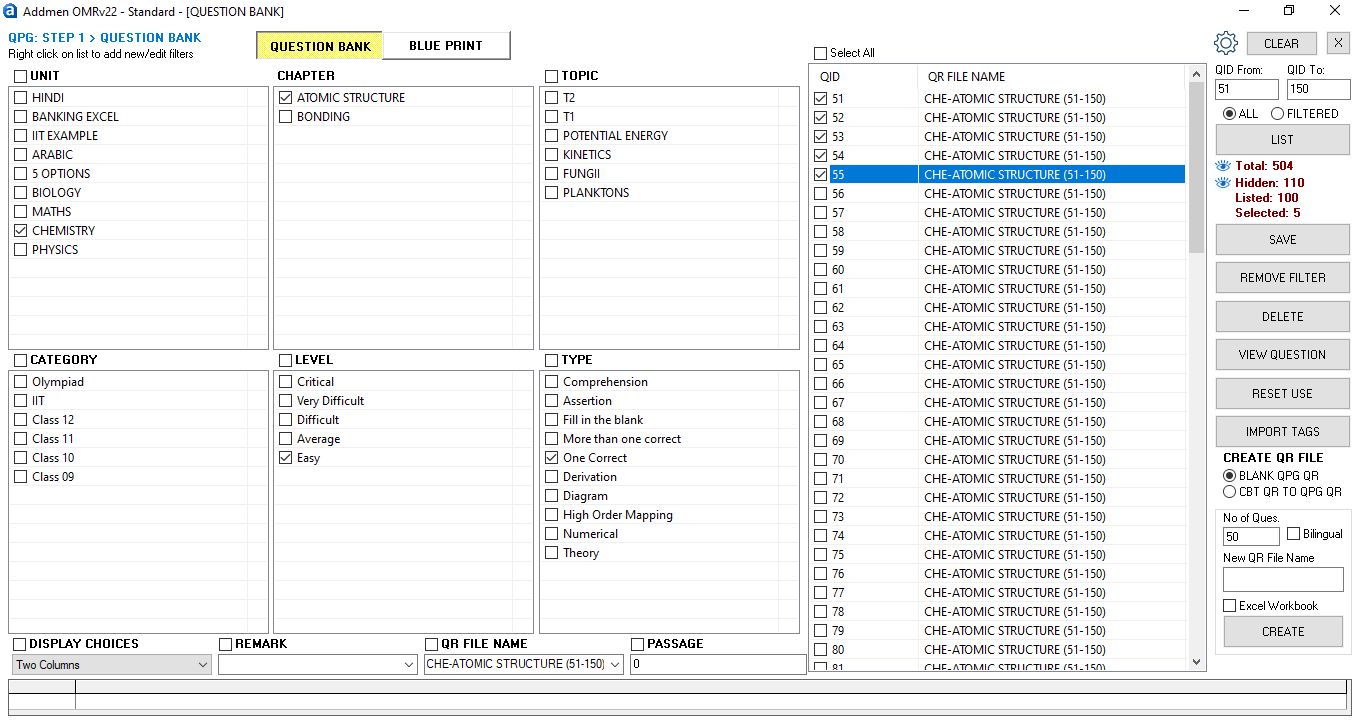
When a blueprint is applied, the output reflects:
Defined question distribution rules
Topic and difficulty level balance
Section order and marks allocation
The software computes available questions and inserts them into the output file following the blueprint sequence.
Yes. Because Word and PDF outputs are editable:
Reviewers can mark changes
Editors can add or remove headers
Additional instructions can be inserted
Page ordering can be verified before printing
Be sure to save final versions before printing for distribution.
Yes. The software allows you to control:
Option numbering style (for MCQs): A, B, C, D or 1, 2, 3, 4
Question numbering style
Indentation and text alignment
Spacing between questions and sections
These options help you maintain a professional and standardized look across all exam papers.
For professional output:
Use high resolution during export
Verify margins and spacing
Use consistent block alignment
Keep text and graphics within the print safe area
Ensure contrast for bubble zones when preparing OMR output
These best practices help prevent issues like cutoff text or scanning errors.
Once exported:
Save outputs in a structured folder system (e.g., by exam name, date, class)
Keep separate folders for question papers and answer keys
Use version naming to track revisions (e.g., “Maths_Test1_v2.pdf”)
Store output backups in cloud or local repositories
Introduction & Overview
FAQs on QPG Operation
Operation QPG Software
