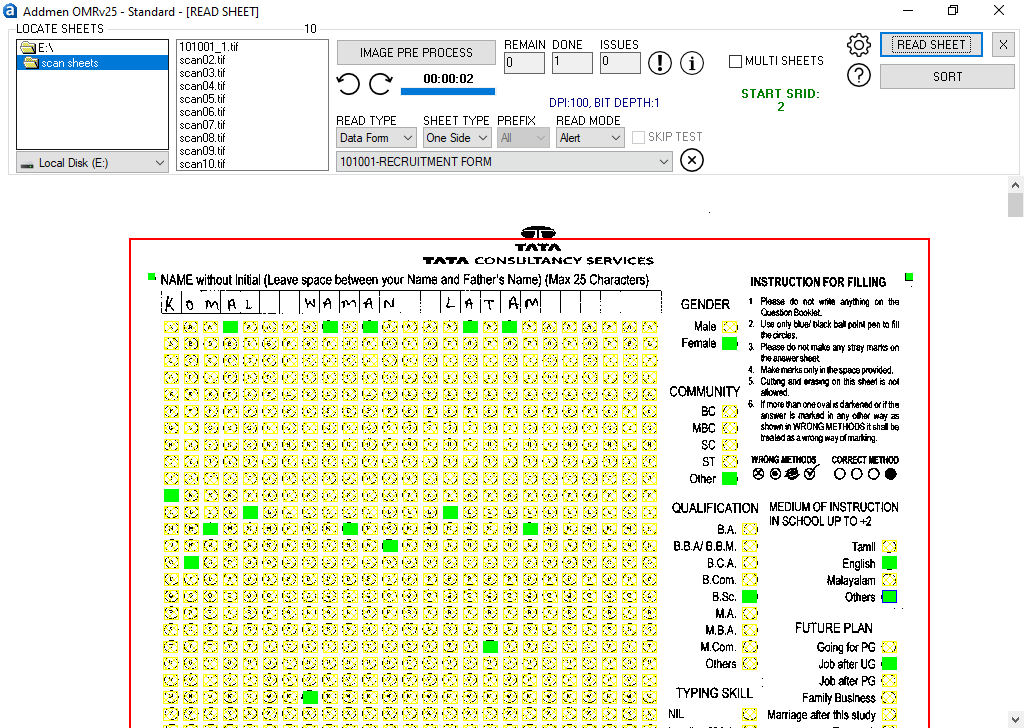
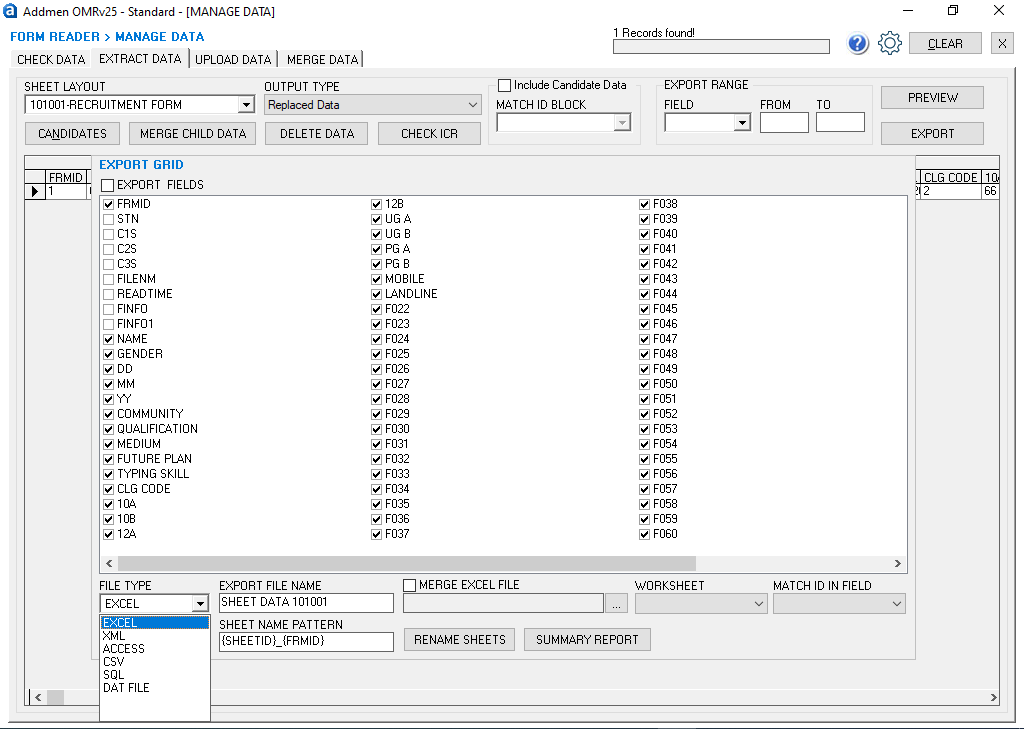
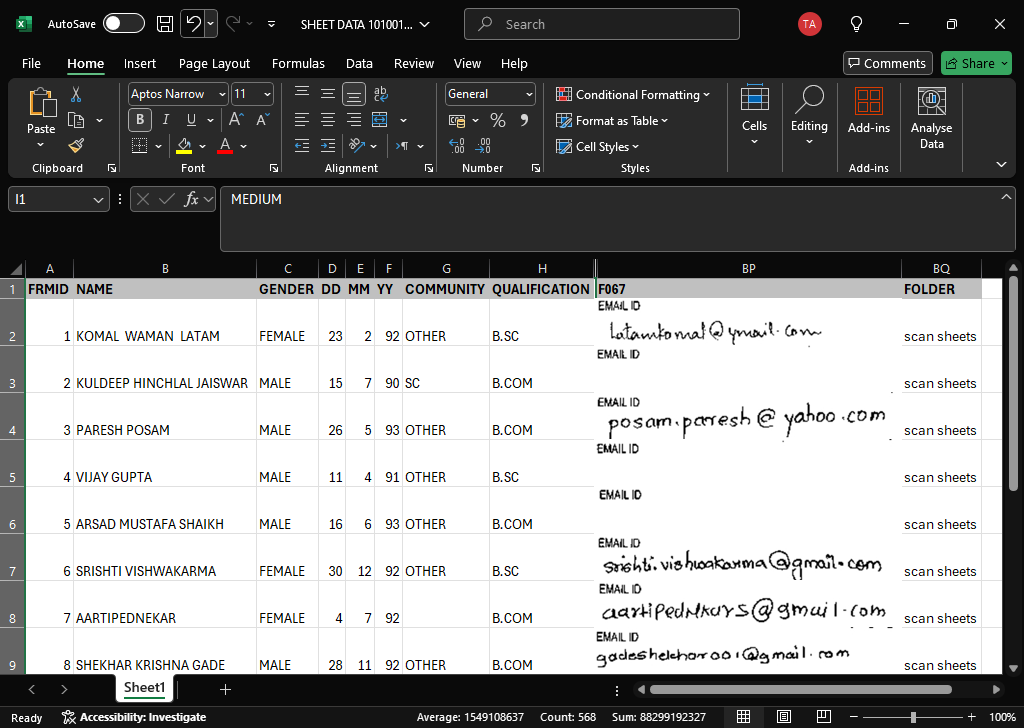
The OMR Form Reader Operation refers to the complete workflow used to capture structured data from printed and handwritten forms using Optical Mark Recognition (OMR), Optical Character Recognition (OCR), and Intelligent Character Recognition (ICR). Unlike OMR Answer Sheet Checkers that evaluate MCQ exams, the OMR Form Reader is designed specifically for data collection from admission forms, surveys, registration forms, questionnaires, and feedback sheets.
Addmen OMR Form Reader automates the entire process—from scanning physical forms to extracting usable digital data and exporting it into databases or spreadsheets—eliminating manual data entry.
The OMR Form Reader works in a structured pipeline:
Form Design & Template Setup
Form Scanning / Image Capture
OMR Mark Recognition (Bubble Detection)
OCR Printed Text Extraction
ICR Handwriting Recognition
Barcode / QR Code Reading
Data Validation & Correction
Export to Database / Excel
Each stage ensures accurate extraction of all types of form data.
Before scanning begins, the form structure must be defined in the software.
Form Design Includes:
Defining bubble/checkbox zones
Setting text fields (printed and handwritten)
Creating ID and registration blocks
Adding image zones (photo/signature)
Mapping barcode/QR fields
Aligning field coordinates
The system uses this template to understand exactly where to read data during scanning.
Completed forms are scanned using standard hardware.
Supported Devices:
Flatbed scanners
ADF (Automatic Document Feed) scanners
Multifunction printers
Input Formats:
JPEG
TIFF
PNG
PDF (converted images)
During scanning:
Forms are digitized page by page
Batch scanning is supported for large volumes
Images are stored for processing
The OMR engine reads filled marks on structured fields.
Detected Elements:
Checkboxes
Multiple-choice selections
Yes/No responses
Rating scales
Choice-based survey answers
The system detects:
Filled bubbles
Partial marks
Multiple selections (if not allowed)
Blank responses
This forms the structured data backbone of the form.
OCR is used to extract machine-printed text fields.
Common OCR Fields:
Form number
Registration ID
Candidate ID
Printed labels
Serial numbers
OCR eliminates manual typing and improves speed and accuracy of data entry.
ICR enables reading of handwritten information from structured fields.
Handwritten Data Captured:
Names
Addresses
Mobile numbers
Comments
Survey responses
Application details
If handwriting is unclear, the system may flag it for manual verification.
Modern forms often include encoded identifiers.
Supported Codes:
Barcode (1D)
QR Code (2D)
Custom ID codes
These are used for:
Automatic form identification
Candidate tracking
Batch processing
Database linking
The system can extract embedded image zones.
Captured Images:
Candidate photograph
Signature
Stamp or seal images
These are stored and linked with form data for identity verification.
After extraction, the system performs validation checks.
Validation Includes:
Manual Review Mode:
Flagged forms can be reviewed and corrected before final export.
Final structured data is exported for use.
Export Formats:
Excel (XLS/XLSX)
CSV
XML
SQL databases
Access databases
Integration Options:
ERP systems
Admission systems
HR systems
Survey dashboards
1. Multi-Technology Data Capture
Combines:
OMR (marks)
OCR (printed text)
ICR (handwriting)
Barcode/QR reading
2. Bulk Form Processing
Thousands of forms processed efficiently
Continuous batch scanning supported
High-speed evaluation workflow
3. Auto Alignment & Skew Correction
Corrects tilted scans
Fixes rotated pages
Handles misaligned forms automatically
4. Flexible Form Types
Supports:
Admission forms
Survey forms
Feedback forms
Registration forms
Attendance sheets
5. Offline Processing Capability
No internet required for scanning or processing
Fully desktop-based workflow
6. High Accuracy Recognition
Reliable bubble detection
Strong OCR accuracy for printed fields
Controlled ICR for structured handwriting
7. Modular Design System
Form layouts can be customized with:
Editable templates
Field positioning tools
Reusable form designs
Eliminates manual data entry
Reduces human errors
Speeds up large-scale data collection
Supports multiple data types in one scan
Scalable for institutions of all sizes
Cost-effective alternative to manual processing
Easy integration with databases
Education Sector
Admission form processing
Student registration
Feedback surveys
Government & Public Sector
Census forms
Public surveys
Application processing
Corporate & HR
Employee forms
Recruitment applications
Internal surveys
Market Research
Consumer surveys
Feedback analysis
Field data collection
Use high-quality printing for forms
Ensure clear handwriting in ICR fields
Maintain consistent scanning resolution
Avoid paper folds and smudges
Use proper alignment during scanning
Validate templates before mass processing
The OMR Form Reader Operation provides a powerful automated workflow for converting physical forms into structured digital data. With integrated OMR, OCR, and ICR technologies, Addmen OMR Form Reader streamlines admission processing, survey analysis, and data entry tasks, significantly reducing manual effort while improving accuracy and scalability.