
Addmen OMR Form Reader is a powerful data capture solution designed to automate the reading and processing of printed and handwritten forms using Optical Mark Recognition (OMR), Optical Character Recognition (OCR), and Intelligent Character Recognition (ICR). It is widely used for admission forms, surveys, feedback collection, registration forms, and structured data entry applications.
The software eliminates manual data entry by converting scanned paper forms into structured digital data with high speed and accuracy.
1. Multi-Technology Data Capture (OMR + OCR + ICR)
The system combines three core recognition technologies:
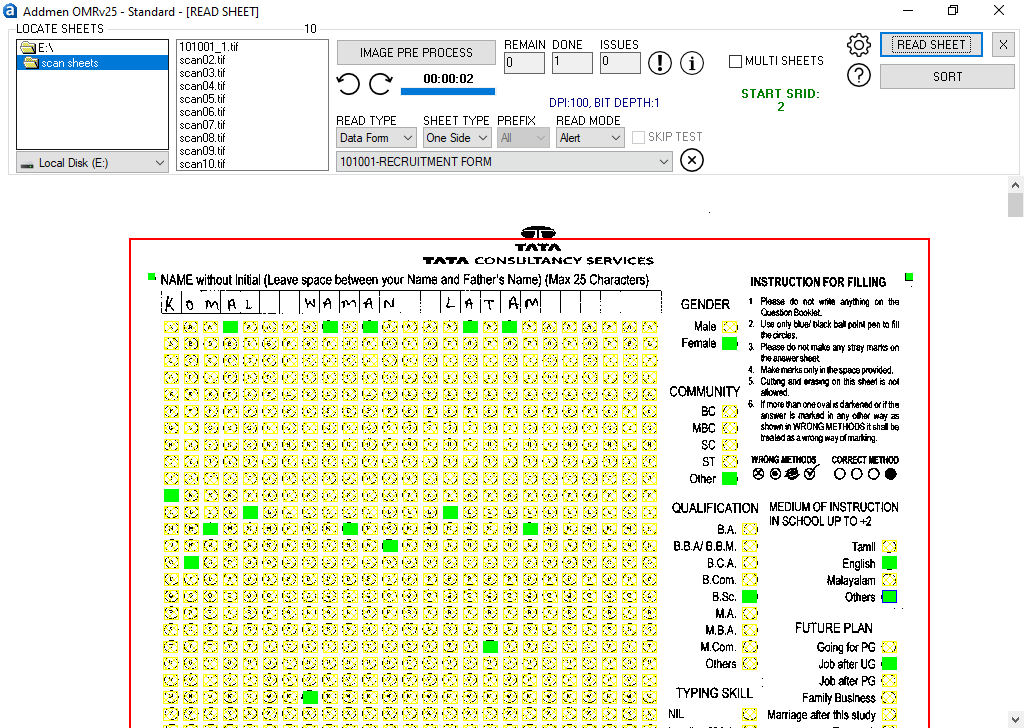
OMR (Optical Mark Recognition): Reads filled bubbles, checkboxes, and multiple-choice selections
OCR (Optical Character Recognition): Extracts printed text fields like IDs and form numbers
ICR (Intelligent Character Recognition): Reads structured handwritten data such as names and addresses
This unified system allows complete form digitization in a single scan.
2. Automated Form Template Design
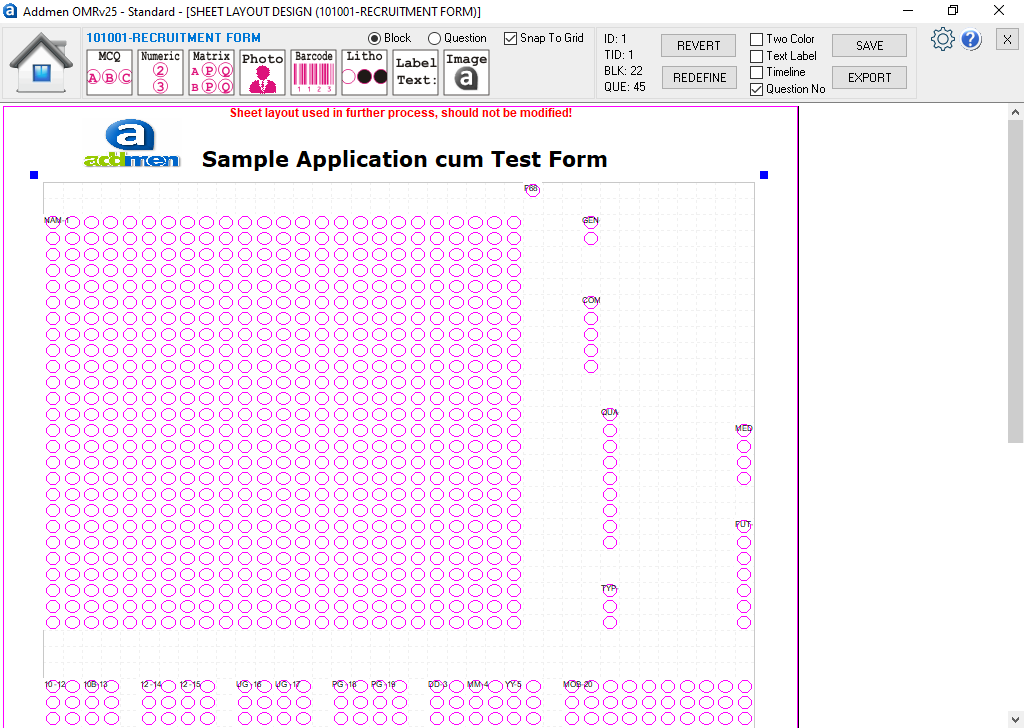
Users can design custom form layouts using a visual template designer.
Features include:
Field-based form mapping
Bubble/checkbox zone creation
Text field definition (printed & handwritten)
Photo and signature zones
Barcode and QR placement
Multi-page form structure support
This ensures precise data extraction during scanning.
3. High-Speed Bulk Form Processing
The software is optimized for large-scale environments.
Processes thousands of forms in batches
Supports continuous scanning workflows
Works with ADF and high-speed scanners
Suitable for mass admissions and surveys
It significantly reduces processing time compared to manual entry.
4. OCR Printed Text Recognition
The OCR engine extracts machine-printed data from forms such as:
Registration numbers
Candidate IDs
Form serial numbers
Pre-printed labels
Codes and identifiers
This removes the need for manual typing of structured fields.
5. ICR Handwriting Recognition
ICR technology enables reading of structured handwritten fields.
Supported data:
Candidate names
Addresses
Phone numbers
Survey responses
Application details
The system is optimized for structured handwriting fields for higher accuracy.
6. Barcode and QR Code Integration
The software supports modern identification systems:
Barcode reading (1D)
QR code scanning (2D)
Auto form identification
Batch tracking and indexing
This improves speed and reduces errors in large datasets.
7. Photo and Signature Capture
The system can extract embedded images from forms:
Candidate photographs
Signatures
Stamps or seals
These are stored and linked with form data for verification and identity validation.
8. Auto Alignment & Skew Correction
Scanned forms are automatically corrected before processing:
Tilt correction
Rotation correction
Skew adjustment
Misaligned scan correction
This ensures consistent accuracy even with imperfect scanning.
9. Multi-Page Form Support
Addmen OMR Form Reader supports complex documents:
Multi-page application forms
Combined survey forms
Linked data across pages
Continuous form stitching
Ideal for large admission or recruitment forms.
10. Error Detection & Validation System
The software automatically detects issues such as:
Missing required fields
Duplicate entries
Invalid marks or selections
Multiple responses in single-choice fields
Blank or incomplete forms
Users can review and correct flagged records before final export.
11. Data Export & Integration
Extracted data can be exported in multiple formats:
Excel (XLS/XLSX)
CSV files
XML format
SQL databases
Access databases
It can also integrate with ERP, HRMS, and admission systems.
12. Flexible Form Compatibility
The system supports a wide variety of forms:
Admission forms
Survey questionnaires
Feedback forms
Registration forms
Government application forms
Forms can be fully customized based on organizational needs.
13. Offline Processing Capability
No internet required for scanning or processing
Fully desktop-based system
Secure local data handling
Ideal for secure examination and government environments.
14. Modular Architecture
The software is built on a modular system allowing optional features:
OMR module
OCR module
ICR module
Barcode/QR module
Image capture module
Users can activate only required features based on their workflow.
15. High Accuracy Recognition Engine
The system ensures high accuracy through:
Adaptive threshold detection
Smart bubble recognition
Handwriting validation logic
Multi-layer error checking
It reduces manual correction and improves data quality.
Eliminates manual data entry
Speeds up form processing
Reduces human errors
Supports multiple data types in one scan
Scales for large institutions
Reduces operational cost
Improves data accuracy and consistency
Education Sector
Admission forms
Student registration
Scholarship applications
Government Sector
Public forms
Census data collection
Survey processing
Corporate Sector
Employee forms
HR onboarding
Internal surveys
Research & Marketing
Market surveys
Customer feedback
Field data collection
Proven OMR + OCR + ICR integration
High-speed bulk processing
Flexible form design tools
Strong validation system
Easy database integration
Works with standard scanners
Scalable for enterprise use
What is OMR Form Reader used for?
It is used to convert paper forms into digital data using OMR, OCR, and ICR technologies.
Can it read handwritten data?
Yes, structured handwriting fields are supported using ICR technology.
Does it support barcode and QR codes?
Yes, both barcode and QR code reading are supported.
Can data be exported?
Yes, data can be exported to Excel, CSV, XML, and databases.
Does it require special hardware?
No, it works with standard scanners and printers.
Addmen OMR Form Reader Software provides a complete automated form processing solution by combining OMR, OCR, and ICR technologies. It simplifies admission processing, survey analysis, and data collection by converting paper-based forms into structured digital data quickly, accurately, and efficiently.
Read more: